• Photography
  • Interviews
  • Business
  • Reviews

Tiffinbox

Inspiring Photographers

  • Home
  • About
  • Blog
  • Contact

Using Checkpoints For New Resolutions

December 23, 2011 by Aaron Hockley

This guest blog post is by Aaron Hockley, a professional photographer and writer who tweets too much and blogs a few times each week. His professional work finds him working with businesses for events, publicity, and editorial work; he also creates abstract and travel photos for leisure. In addition to photography for clients Aaron often works with other photographers to help them understand and refine their online and social media presence.

As we reach the end of 2011, we’ll be reading various articles online and in print about resolutions for the new year. Much like the proverbial gym membership which goes unused after the first few weeks of January, I’ve seen photographers drift away from their promises to change their practices once a new calendar begins.

Looking forward to 2012, I’d encourage folks to look at their photography world from two standpoints: that of the art and that of the business. If you’re a hobbyist, the business aspect is irrelevant. If you’re a professional, you’ll find that the art and business are intertwined. Instead of making a big list of resolutions, I’d suggest photographers pick a theme or two for their 2012 goals.
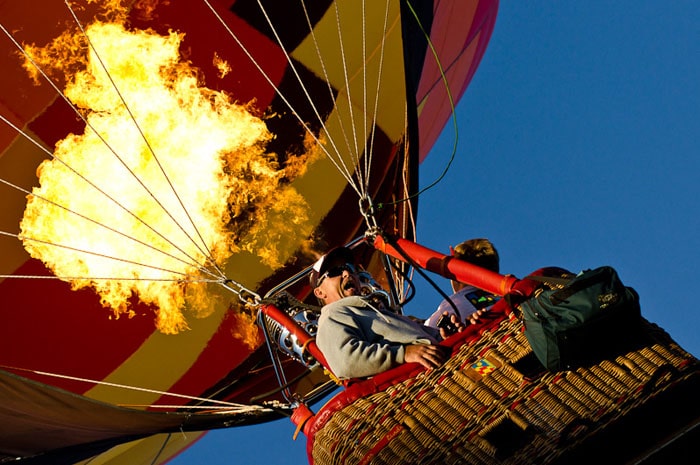
Baloon Burn at Lift Off | Aaron Hockley

An Artistic Resolution

From an art perspective, where do you want to go? Is it time to dive into the world of off-camera flash? Is this the year to spend some time learning how to make HDR images? Perhaps you want to get serious about black & white for output. It’s great to think about all of the things that you could do, but after that I’d challenge you to pick just one. Instead of a list, let’s choose one theme for the new year.

Getting Down to Business

If you’re a professional (either full or part-time), it’s also wise to make an objective evaluation of your business as we begin a new year. While each business is unique, here are a few items for evaluation:

• What aspect of your business brought in the most revenue in 2011?
• What aspect of your business brought in the least revenue in 2011?
• How much time and effort are required for each of the previous two answers? What’s the return on the time spent? We’re talking “bang for the buck.”
• What marketing are you performing, and what results can you attribute to each form of marketing?

After evaluating your current business situation, decide what will change in 2012. Pick a direction for a business change in the new year. Perhaps it’s the elimination of an unprofitable aspect to your business, or perhaps it’s time for something new. For my business, I’ve decided to begin marketing and selling my abstract photo art.

After the Theme: Action

So now we’ve picked a theme for something new or changed for the art and business of our photography. What next? Next is turning that big theme into actionable tasks. Sit down with your task planning system of choice. Perhaps it’s an application specifically for tracking tasks. Perhaps it’s a blank document in the text editor of your choice. Perhaps it’s a legal pad. It doesn’t matter.

Record your theme and then start brainstorming actions that will help you move towards that goal in 2012. The actions will be depend on your goal, but might contain:

• market research
• learning a technique
• going somewhere
• branding
• marketing plans
• studying others’ work
• connecting with other photographers in a genre
• outreach to past clients
• outreach to new clients

Massage your list into a plan. The next step is to do the work. Stop planning and start doing, starting January 1st if not before.
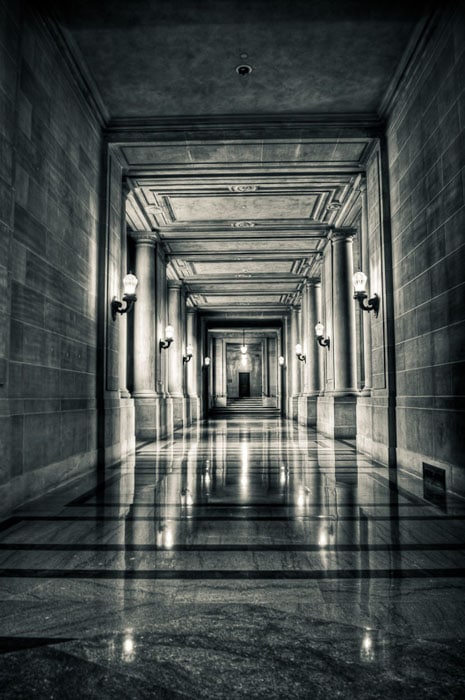
Empty Governance | Aaron Hockley

Checkpoints

Go to your calendar (again, either electronic or analog, it doesn’t matter) and add some items. Make a note to give yourself a checkpoint on your goals. Set checkpoints for at least once a month, with the first checkpoint no later than Janauary 15th. When you hit a checkpoint, take a look at your efforts and results. If you aren’t moving forward, why not? Do you need to adjust your goal?

Adjusting your goal based on situational feedback is fine and healthy. Abandoning your goal probably isn’t.

2012 can be a great year for your photography. I’d love to know what you’re planning to learn, explore, or change in the coming year. Sound off below in the comments section.
Filed Under: Call To Action, Photography Tagged With: aaron hockley, checkpoints, goals, Marketing, marketing plan, photographer, Photography, professional photographers, resolutions

Why You Should Consider Artist Residencies If You Are A Passionate Nature Photographer

December 21, 2011 by Joe Decker

Today's guest post is by Joe Decker, a nature photographer, writer and educator who lives in Northern California. Follow Joe Decker on Twitter to learn more about his workshops or read his blog. Learn about composition from him from his e-book, Tuesday Composition.

While I've had the opportunity to teach and work with hundreds of talented nature and landscape photographers, few if any of them ever consider artist residencies as a tool of developing their photography.

That's a pity.

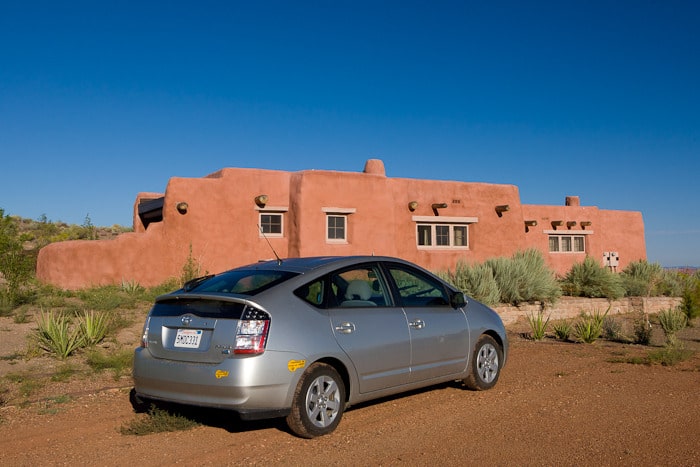
Art Residencies by Joe Decker

Residencies offer artists a place to stay and focus on art. This adobe cabin is used to house resident artists at Petrified Forest National Park

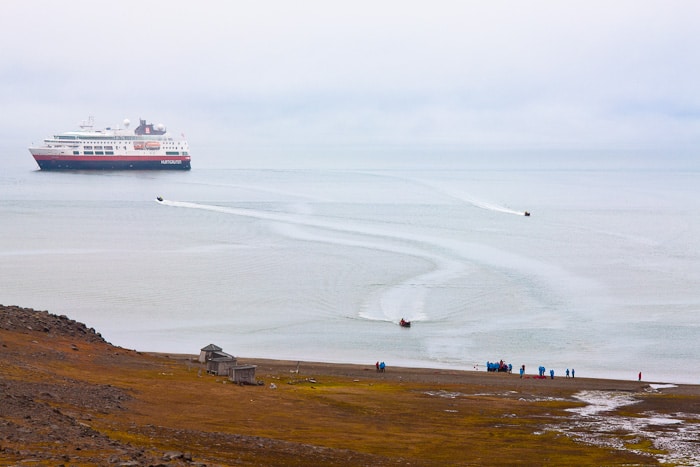
What are artist residencies?  Residencies are programs which grant artists a place to live while they focus on their work. These programs can take many forms. In some cases, these residencies are created by fine arts programs, many of those residencies pull in several artists at a time with the hope of encouraging interdisciplinary work or at least a sharing of ideas. Many parks and organizations that manage natural areas have residencies which are usually more solitary, but that put the artist in close connection with the landscape, in part with the hope of encouraging artwork that promotes and communicates the features of that park. Even some commercial concerns create residencies, my shipboard arctic residencies provided me incredible access to hard-to-reach areas of the planet, with the expectation that I'd also provide some work back in the form of workshops and material for a passenger DVD.

Art Residencies by Joe Decker

Residencies are offered by many types of organizations, from fine arts collectives and parks to commercial cruise lines.

Why do so few photographers apply for such opportunities?  Part of the disconnect is cultural. There has always seemed to be a quiet divide between the photography community and the fine art community, and while artist residencies are a staple of the traditional fine art community, they're rarely if ever talked about in the photographic communities I've been a part of. There's also a mystique factor, because of this “quiet divide”, Many times talented, creative photographers make the mistake of thinking that their work won't be accepted by something they perceive as being part of the snooty “fine art” world. in reality, most residencies, particularly those applicable to landscape and wildlife photographers, are juried by people who do understand the creative potential of the photographic medium, and see art more broadly than many photographers might imagine.

Of course, there are some practical challenges to accepting a residency. Not everyone can afford the luxury of putting eight weeks into nothing but developing a new body of artwork. However, many people, particularly many talented amateurs, could afford two or three weeks if they understood the value they could get from a well-chosen residency.

Why You Should Consider a Residency

Why would a photographer wish to invest a few weeks in a residency? The most important reason to consider a residency is the opportunity for focused time. Whether you're a professional or an amateur, it is unlikely that you get to spend nearly as much uninterrupted time making photographs as you'd like. Whether it's the “day job at the factory” or the usual grind of marketing and selling your photographic work, the inevitable distractions of day-to-day life really get in the way of digging deeply into a photographic project. A few weeks dedicated to a project can bring depths to your work.

Cost is another reason. Few residencies offer anything in terms of cash, but there's no question that the value of simply having a decent place to stay for a few weeks in an area you'd like to work is substantial. My arctic, ship-board residencies are probably the most extreme example of this, the cabin that I stayed in during my Svalbard residency this year probably would have cost around twenty thousand dollars if I'd paid for it retail.

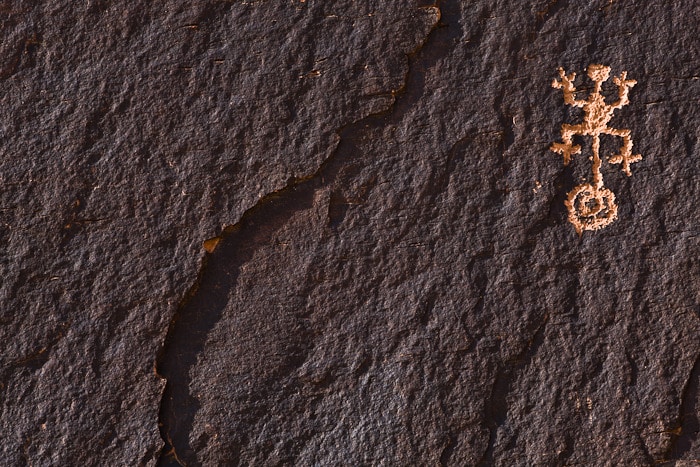
Climbing Lizard by Joe Decker

Some residencies offer access to unique resources, whether they be archeological, geological or cultural.

Which brings me to access. Every residency I've been awarded has offered me unique opportunities in terms of access to the locations I'd be working in. In my National Park residency, not only did I have the run of the park at night and sunrise t (when the park was otherwise closed to visitors), but I also had enormous support from the staff there, from access to their geologic archives to guidance on a couple hikes to lesser-known park locations, as well as access to many archeological resources. My arctic residencies included the support necessary to get me and my camera near to polar bears without risking my life.

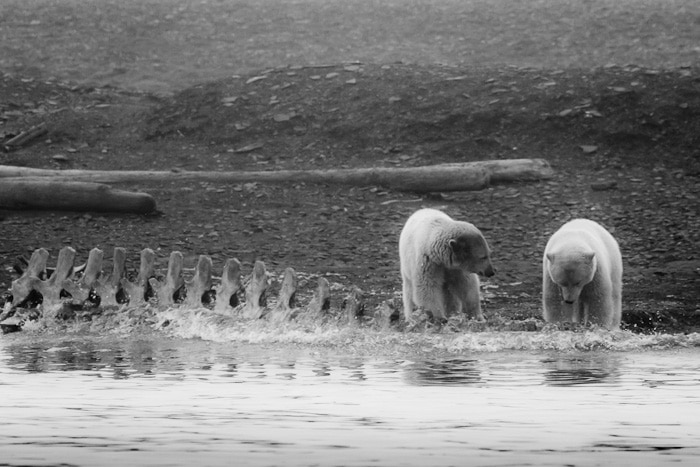
Polar Bears by Joe Decker

Residencies often offer a variety of forms of other support, from access to art making equipment to support in getting to unique and otherwise inaccessible or dangerous locations.

How To Apply

First, find a program that's relevant to the kind of work you do, or at least the kind of work you'd like to do. You are more likely to be awarded a residency if it's clear how you and your work fits in with the opportunity being offered, and you'll are far more likely to benefit personally and professionally from a residency if the specific opportunity inspires you. If you're a wildlife photographer, you might want to skip that urban art center opportunity, unless you have a clear plan for applying your skills and interests to a new environment–and even then, you'll need to make a solid case in your application as to why you're the best person to benefit from the residency.

Carefully research each residency you apply for, and respond to each residency individually. In applying for my Petrified Forest residency, I proposed projects that both inspired me and that leveraged the unique features of that park, such as it's archeological resources and it's incredibly dark sky. The Park Service's own web site and in-park informational signage gave me a great deal of information about what they believed to be key features of the park, reflecting that understanding in my own proposal likely helped me win that particular residency.

Whether you're a professional or not, it is essential that you show that you're serious about your work. Few of these opportunities care about whether you make your living at photography, but all of them will care about whether you bring a serious, committed attitude to your art. There are many ways to show that in your application that don't require having been “in business” for ten years–have you being showing your work consistently over a period of time? Have you been published broadly?  Have you won awards or other recognition over time? Do you have references that can attest to the quality and longevity of your efforts?

Finally, don't give up. While there are a lot of residencies out there, there are also a large number of artists, not just photographers but painters, poets, sculptors and videographers often vying for the same slots. With effort and focus, you can take advantage of this wonderful opportunities to further your photographic efforts.

If you made it this far down, I have to ask you if you are now considering artist residencies to elevate your own craft. What, in Joe's article, moved you to make that decision? If you have any follow up questions for Joe, please feel free to ask him in the comments section below.

Joe has offered his e-book, Tuesday Composition, to one lucky person who comments below. Winner announced on December 30th.

Filed Under: Art, Nature, Photography Tagged With: Art, artist, artist in residence, artist residency, artist residency program, arts, Education, fine art, joe decker, landscape photographers, national parks, nature, nature photographer, nature photographers, photographer, Photography, residencies, residency, theatre

The Sylights Interviews: 1 of 4 | Michael Guarisco: Using Lighting Diagrams

December 19, 2011 by Olivier Lance

Olivier Lance of Sylights last wrote a guest blog post here back in August about why one should use lighting diagrams. He is back with a short series of quick interviews with photographers. Here is the first one, with Michael Guarisco, an amateur photographer living in Nancy, France. He shares his knowledge and tutorials here (in French).

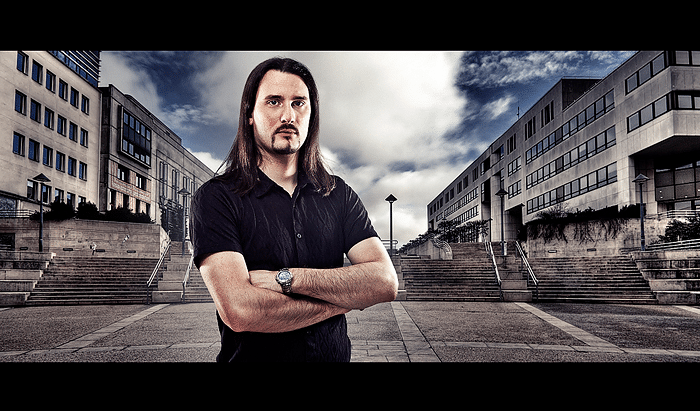
Michael Guarisco | French Photographer

Sylights: This picture is a composite image of at least two photos: one of the model and one for the background. Why did you choose this technique?

Michael Guarisco: This compositing technique is similar to the one used by Joel Grimes, an American photographer. He used it in some ads for Nike, for instance. I'm a fan of this style he achieved, so I wanted to try it myself. I love this work in different phases, it brings in several constraints: on lighting, on the choice of the background, and a heavy post-processing. I wouldn't make it my specialty but it's really instructive!

S: What is your workflow for that kind of compositing?

MG: I take a picture of my subject in a studio on a seamless background (black or white, depending on the subject's clothes, as I need a good contrast) to facilitate his extraction. The point being to find an effective lighting with three light sources, with the right modifiers, etc. … I know Joel Grimes uses large softboxes or beauty dishes. As an amateur, I'm happy with some simple umbrellas! After having processed and extracted my subject, I set off to find my background according the subject's attitude and style. It can take a lot of time, one needs to move and search a lot to find the background that will fit both the processing and the subject. When I've found my background, I take 5 photos with different exposures to perform an exposure fusion. Then I retouch the image a bit to get a satisfying result. If the subject's extraction has been done properly, the final compositing is done easily.

S: How do you make sure that the lights on your subject match those of the background? Do you have any special tips to achieve this?

MG: It's true that it's difficult to have matching lights between the background and the subject. You must simulate light coming from behind the subject to make it look real. Though I don't necessarily look for a perfect, logical lighting, I do make sure that my resulting picture as a whole looks coherent (prevailing color, temperature, etc.). I work a lot with the curves tool; I use it on my subject so that it integrates well into the background, then I use another curves layer on the complete image (I have a fondness for a slight cross-processed look). I completely assume using compositing and I think it's normal that anybody might see my picture is composited, but it's important not to neglect the image's fluidity. I want to hear people saying, “Yes, it's composited, but it works well!”

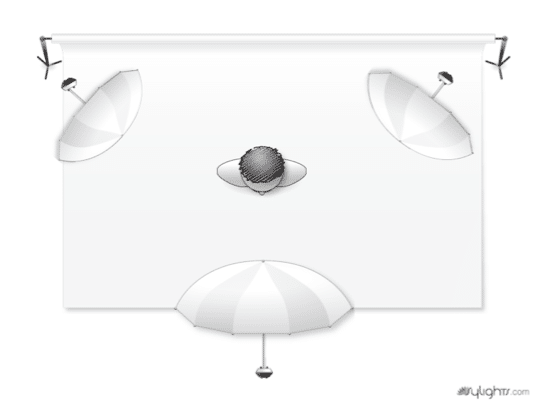
Michael Guarisco Lighting Diagram

S: What's the place of lighting diagrams in your work? Do you use them as a preparation tool or rather as a documentation tool?

MG: Lighting diagrams are certainly the most important aspect of working with flashes! First of all, they allow one to quickly learn what setups lead to different types of images. It's a very educational tool! Then, even when you're more experienced, it's still useful to plan a session by sketching a bunch of setups we'd like to use. I've always worked with lighting diagrams, I use them for myself as well as for showing others how I've created a photo, on my website. Even in the middle of a chat, a diagram scribbled in the corner of a napkin makes oral explanations way easier! In that sense, Sylights lets anyone archive flash photographs; the sharing aspect pops out, as anybody can understand how each posted image has been created. Moreover, when we work with many different setups it's pleasant to be able to find them back easily on the website!

Filed Under: Interviews, Photography Tagged With: amateur photographer, compositing, diagrams, Joel Grimes, light diagram, Lighting, michael guarisco, olivier lance, photo shoots, photographer, visual effects

4 Tools For Photographers To Increase Social Exposure & Create A Personal Brand Online

December 16, 2011 by Nikki Peters

Today's guest post is by Nikki Peters, the community support manager for MarketMeSuite, the social media marketing dashboard you can use for free.

Publishing photos online is the new way of marketing your business, brand and even yourself and your own interests. Everyone can read a tweet or Facebook update and think nothing more of it, but to see a photo really does help you increase online engagement. As a professional photographer, it's vital that you get your photos out to your audience and even going viral. This article examines why photo sharing via social media can really help increase your online reputation and gain you a significant following. Here are 4 tools to help facilitate interaction and sharing of your photos.

1- MarketMeSuite – Photo Sharing From A Dashboard

MarketMeSuite, is a free Social Media Dashboard which has a Photo sharing feature called Photo.Me. This is excellent for those of you who like to upload and publish photos to all your accounts as it allows you to do so all in one place. Also, whenever you publish a photo via MarketMeSuite, it is automatically added to the official Phto.Me web page so anyone and everyone can see it. Every time someone visits the website itself, they see the images, and discover new Twitter accounts, people and businesses. It's a great way to get your photos seen, not just on your own Twitter/Facebook and Linkedin walls, but shared over a collective body of images where people can sit and browse at their own leisure and explore the photos origins.

Tips And Tricks For Using MarketMeSuite

Using MarketMeSuite's “Send To All” feature means you get to send your photo to your Twitter, Facebook profile, Facebook pages and groups and Linked.in in one swift swoop. Just check off the accounts you want your photo to be sent to and a link will be sent to all of them at the same time so you save time publishing your images to your audience. You have the ability to visit that photo at any time, delete it, see how many views it's had and grab the URL all from the MarketMeSuite app itself so you have everything you could possibly need at your finger tips to make sure that image is getting seen and by how many people.

2- Instagram – Photo Sharing From Your iPhone

Everyone with an iPhone is playing with Instagram, and why not, it's free and offers some pretty amazing photo effects that are easy and quick to apply. No fiddling, no adjustment, you pick the effect and they do immediately! If you are on the go and want to edit your images, Instagram offers you the ability to pick the desired photo effect and publish it to your audience quickly and whilst on the go! If you snap a great image and want to share it with your audience, there really is no better or more simple way. You can also post it to Facebook, Twitter and Flickr meaning it reaches the widest audience.

Tips And Tricks For Using Instagram

There is a common misconception that Instagram is for phones only. There is in fact, a cheats way of getting your photos on to it from your professional camera. All you have to do is upload professional quality photos using Dropbox and you can then pull them from your iPhone directly onto Instagram, and since it's a great network for sharing photos a lot of photographs and businesses alike are doing this. This way you don't have to sacrifice quality and pixels. Also, a Flickr plugin on your website can showcase all your photographs and you can hook it up to your iPhone to automatically share from Instagram.

3- Flickr – Photo Sharing On Your Blog

Flickr is arguably one of the worlds biggest photo sharing websites, it's certainly one of the more popular ones which is why it is a must for professional photographers. What better place to meet others with the same passion as you and share ideas and thoughts about it? With millions of people with an account, you are in good company! Upload your images and they can be seen under your username. Again you can structure your photos into albums so your work is neat and well organized so your audience can easily find what they like.

Tips And Tricks For Using Flickr

Flickr allows you to add plugins to your websites and blogs so you can advertise your photos on your website making marketing and access to your images easier than ever! Having content on your website gives people an immediate knowledge of your work and style so catches their interest. It also gives you the ability to let others use your images in their “Creative Commons” section meaning people can use and interact with your work so it gets seen by even more people. It's also a good idea to use tags so your photos can be searched for easily and you get a wider result of people looking at your work.

4- Facebook – The Viral Photo Share

It's so obvious it's easy to over look it. Facebook is the worlds biggest social network and when you add pages and profiles and gain a good following, it's a great way of easily uploading and sharing your photos. Whether you add them to a particular structured photo album or to a wall or share them individually, Facebook gets your photos to the masses. All it takes is one photo to be “Liked”, “shared” or linked out and you suddenly get a in-tune and appreciative audience.

Tips And Tricks For Using Facebook

With Facebook, you have so many options as to how you want to publish your photos and who can see them. Bulk load your images into content albums or upload them one by one, you have a limitless amount you can add and upload. The biggest tip with Facebook, is to publish photos that encourage your audience to get your photo's seen by liking and sharing. That's the best and most organic way of going viral as people trust their friend's “likes” and suggestions.

So Why Should You Use Any Of These Tools?

Words can't fully explain a sight, a time, a moment like a photo can. Not only can they inspire, they can help facilitate passive following. Your photos work for you even when you're not online engaging and trying to convert customers. Whether it's a photo of the office dog, of a new product for your business, or even just a beautiful photo, you have the internet at your fingers tips which helps you make sure they are seen and gain your exposure in your profession.

Which of the above tools do you use and why? Have you found clients or people interested in licensing your images because of these social media applications? Let us know below!

Filed Under: Marketing, Photography Tagged With: Marketing, marketmesuite, Photographers, Photography, tools

3 Months Of AnimotoPro Free For You

December 11, 2011 by Seshu | Editor & Publisher

For a limited time – that's until December 31 of this year – when you sign up for AnimotoPro, you'll get 3 months added to your account. That's 15 months for the price of 12. Not too shabby, eh?

And, yes, full disclosure, I get something out of this too. For every one of you who signs up using my affiliate link, I also receive 3 months added to my account.

WHY ANIMOTOPRO?

It's simple. It's elegant. It's easy. It's customizable. You can set the video resolution from 360p to 480p to 720p (HD). It can drive traffic back to your site, especially if you embed your slideshows on Facebook. And who doesn't want quality clients these days, right?

So check AnimotoPro out to see if it is the slideshow program for you and your workflow. Once I process and retouch images, I save the images to a “slideshow” folder. I use AnimotoPro's classy interface to upload the images (this is perhaps what takes the most time). Then as it is uploading, you can choose one of the many songs (I found the selections to be diverse). The “Advance Settings” allow you to title and describe the slideshow and also hide the “Animoto” branding.

MY WISH LIST FOR ANIMOTO PRO

Here is my wish list for what Animoto could do better – 1) the ability to loop in two or more songs for a slideshow and 2) branding the slideshow with my own logo (you'll see below that I hacked my way through it by inserting an end slide with my logo and contact information).

A SAMPLE SLIDESHOW

Here is a sample slideshow I processed in about 15 minutes. I uploaded the images, chose a theme, decided on a song (you also have the ability to upload your own choice) and added text and other link backs to my website.

I am convinced that the service will pay for itself very quickly. Imagine the impact it will make with your clients. With AnimotoPro you can also download the slideshow, create a special DVD for your clients and either gift it to them or charge them for the added value you are providing them. In any event, it is a win-win.

THE DEAL ENDS ON DECEMBER 31, 2011

If you have been on the fence about working with Animoto, now is the time to get down to business. Between today and December 31, you and I will both get 3 months free if you decide to subscribe to AnimotoPro.

IF YOU SIGN UP …

If you sign up with AnimotoPro and use their service, please come back and leave a link to your slideshow in the comments below. I would love to see how you end up using it.

Filed Under: Photography, Web/Tech Tagged With: AnimotoPro, clients, dvd, highlights, Marketing, slideshow

Mystic Seminars | 5 More Reasons You Should Attend And Bring Your Best Friends With You

December 10, 2011 by Seshu | Editor & Publisher

Almost a year back, I posted 5 Reasons You Should Attend The Mystic Seminars. If you don't remember it or want to go read it, I'll be waiting here when you get back.

Good? Hope that made sense.

5 MORE REASONS TO GO

This time I wanted to give you 5 more reasons to attend the Mystic Seminars, which take place on January 5, 6, 7 and 8.

1) Though Jerry Ghionis‘ workshop is all sold out, Joe Buissink and the WedRockers still have a few remaining spots open. (I signed up for the WedRockers, by the way). Joe is a phenomenal presenter and teacher. I've always enjoyed his super quiet yet powerful approach to explaining why he does what he does. He always speaks from the heart and that my friends is a huge reason in itself to listen to a master photographer. The Wedrockers see things very very differently. Let me just stop there because to describe them in any other way would be nearly impossible. Go check out their work. I think you will get what I am saying. They are super nice guys (video of them coming up soon right here).

2) If you are a vegetarian like me, or have dietary restrictions, the diverse and ample helpings during lunch are not to be missed. Walter van Dusen, the event's founder and host, has promised me that it will be just as good as last year if not better. So, if you are a foodie like me, you won't regret your lunches. Check out this year's menu here. Yum!

3) If you live in a part of the world that hasn't and will never see snow, well, you will more than likely get your fill. Tell yourself that it's an opportunity to test your camera's white balance settings. [grin] On a more serious note, you will get to experience winter like most New Englanders and that just may be on your list of things to do in life. Don't forget to bundle up. Walter and his wife will always make sure there is enough coffee to keep you warm and water to keep you hydrated.

4) Andrew “Fundy” Funderburg is buying us beer. Who is Fundy? One of the sharpest minds in the business, who is always looking for ways to make our lives a little bit easier with his software programs. Check out Fundy SOS. Even if you don't drink beer, tap him for business advice or about his next amazing product for photographers. Have you seen the new Fundy Album Builder v4.0? It's slick! I am sure he'll demo it and you can ask him lots of questions (which you can't really right now, right?) about how to design and sell wedding albums.

5) The ultimate reason to go is to listen and watch some of the best in the industry. This year's speakers include the following: Joe Buissink, Jerry Ghionis, Ben Chrisman, Sergio, Susan Stripling, DQ Studios, Becker, Andrew “Fundy” Funderburg, Jeff Newsom, Michael Greenberg, WedRockers (Fer Juaristi, David Josue, Daniel Aguilar, Rafa Ibanez), Tony Corbell, Stephanie Zettl, Melissa Ghionis, Joseph Switzer, Ray Prevost, Jacklyn Greenberg and Walter van Dusen. Yes, these speakers may appear at other conferences but they won't be as accessible. That's a promise.

WALTER DISHES OUT ADVICE TO 2ND SHOOTERS & MORE

Walter just told me that he is closing all new registrations on Wednesday, December 14. So, if you want in you'll have to sign up by Tuesday, December 13.

DINNERS ON TIFFINBOX

Every person who has registered for either the seminars or the workshops AND mentions “Tiffinbox” (when registering) will be entered into a drawing. Dinner is on Tiffinbox!

Here is the ONE STEP you need to take to win your dinner (up to $60) for the first three nights, from me:

Comment below. Tell me if you are going to the event. Tell me what you think you will get out of going to this conference. To win, you have to attend the entire event. I need a name and a valid email address when you comment. If I don't hear back from you, the prize goes to the next person I will also randomly pick.

Increase your chances of winning when you take these two steps:

a) Tweet this: “I entered into a drawing to win dinners at @MysticSeminars thanks to @PicSeshu and www.tiffinbox.org – http://seshu.me/vkDcl1”

b) Fill in your Facebook status with these words: “I entered into a drawing to win dinner at @Mystic Seminars thanks to @Seshu Badrinath and www.tiffinbox.org – http://seshu.me/vkDcl1”

I am looking for ONE winner among 100 unique comments between now and Tuesday night. So, no multiple entries. I'll be double checking with Walter if you are indeed registered. You get to collect your prize (up to $60) in person. You have the option of joining me for dinner.

PLUS … woah!! Andrew “Fundy” Funderburg has offered to giveaway Blog Collage, to the winner. This $79 software program helps you create collages for your blog or for sharing across social media platforms like Twitter or Facebook. Check it out, snap it up!

Winner will be announced here on Tiffinbox on Tuesday at 11.59 pm EST! So come back and see if you won!

Disclosure Of Material Connection

Filed Under: Conferences, Photography, Weddings Tagged With: attends, connecticut, joe buissink, mystic, photographer, seminars, walter van dusen

11 Ways You Can Improve Your Photography

December 1, 2011 by Seshu | Editor & Publisher

There are several phases of being a photographer. The obvious ones are beginner, amateur, professional and, perhaps at a stretch, “master.” You may disagree with that progression and that's fine. But I suspect you will agree with me when I say that at every level (yes, even if you self-proclaim yourself the Grand Poobah of photography), you are constantly learning.

Yes, that's right. Educating yourself never ever stops. It's what I find most exciting about photography. Every day, I am learning something new about the art and also ultimately about myself.

Several weeks back, I announced the 1st annual Tiffinbox Award winner. That photographer is David DuChemin, an author, blogger, teacher and foremost a visual explorer. I urge you to check out his blog and his books.

David is also the visionary behind Craft & Vision e-books for photographers of all stripes. Each of these books is $5. They are a fast read and are chalk-full of great tidbits of useful information that you don't just save in your head but are forced to go out and try out for yourself. To say that I have fallen in love with these e-books would actually be a bit of an understatement. They are exquisitely designed and of course contain some of the best photography I have seen. I eagerly wait for each new e-book because they are so remarkable.

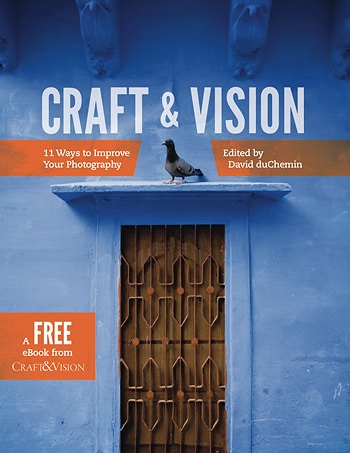
Craft & Vision Free E-Book | 11 Ways To Improve Your PhotographyToday, Craft & Vision is doing something different. They are actually giving away their latest e-book, 11 Ways You Can Improve Your Photography.

So, why is this 69-page e-book free? What's the catch, you wonder? There is none. Think of this book as a sampler. The authors of these chapters are representative of the breadth and depth of the topics you will find on the Craft & Vision website. The writing is lucid and engaging. The images are spectacular. If you are even remotely inclined to educate yourself or even elevate your photography, these e-books are a must. Being e-books, I carry them around on my iPad 2 and flip through them when I want a quick burst of inspiration.

I bet you are curious to know what those 11 ways are right? So here they are, in the order they appear in the free e-book (yeah, download it now):

1) Make Your Images More Dynamic by Piet Van Den Eynde
2) Tame Your Digital Exposures by David DuChemin
3) The Power Of The Print by Martin Bailey
4) Learn To Direct The Eye by Michael Frye
5) Understand The Stages by Alexandre Buisse
6) Create Projects And Collaborate by Andrew S. Gibson
7) Refine Your Composition by Nicole S. Young
8) The Power Of The Moment by Eli Reinholdtsen
9) Forget Lens Stereotypes by Piet Van Den Eynde
10) Slow Down And Learn To See by Stuart Sipahigil
11) Make Stronger Portraits by David DuChemin

Buy one or two, or better yet, buy them all (and save 20%). With the Christmas season around the corner, I don't think there is a better set of gifts than these e-books for the budding or experienced photographer in your life. I know I would appreciate it, if I was presented this incredible opportunity to learn from the very best in the industry.

Disclosure Of Material Connection

Filed Under: Books, Photography Tagged With: better photography, books, david duchemin, e book, E-books, educate, imaging, improve, photographer, Photography, vision, visual arts

3 Cyber Monday Deals For Photographers!

November 28, 2011 by Seshu | Editor & Publisher

Hope you all had a wonderful Thanksgiving break. Did you splurge on Black Friday? What did you buy? I'll reveal my list of goodies soon. But with today being Cyber Monday, I wanted you all to get access to what I consider to be the three best deals for photographers:

Deal # 1: Web Marketing Guides For Photographers

Zach Prez is the prolific writer behind the best books on social media marketing for photographers. Yes, that's a testimonial based on my own experience. I have learned so much from Zach that I have decided to endorse his products here on Tiffinbox.

He is extending his Black Friday specials through the end of today. If you are struggling to get your social media groove on, you will be doing yourself a favor by diving in and buying one or all of his e-books.

Save 30% on my Web Design Guide $70 $49
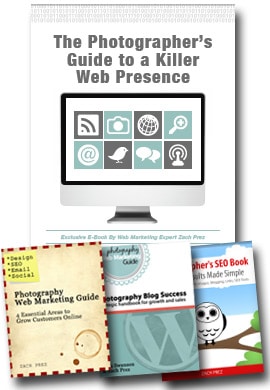
Photographer's Guide to a Killer Web Presence has 122 pages that analyze the world’s top photography websites, blogs, Facebook and Twitter pages, and email newsletters to show you simple design tactics to attract new business.

Social Media Marketing Ebook CollectionSave 57% on my Intro Web Guide + Blogging Guide $58 $24.50

Save 50% on my Intro Web Guide $29 $14.50
usiness building recommendations focused on search engines (SEO), social media, and email marketing.

Save 50% on my Blogging Guide $29 $14.50
Photogrpahy Blog Success has 60 pages teaching photographers how to get more business from your blog.

Save 30% on my Self-Study Workshop $89 $62
Web Marketing for Photographers Workshop walks through SEO, blogging, social media, tracking, and everything you need for getting more sales online. Includes multiple ebooks, action worksheets, and videos.

Save 30% on Individual Coaching $500 $350 most savings
The fastest way to succeed is with personal phone consulting. I review your website and talk you through everything you need to know to excel in search. All my ebooks are included for your reference after our call.

Visit Photography Web Marketing Guide, to learn more about what Zach has to offer you.

Deal # 2: All Fundy Products at 30% Off!

Andrew “Fundy” Funderburg is the brains behind Album Builder, Image Brander, Prosper, Action Matic, Blog Collage, Workflow and Album Proofer. That's a dizzying array of products for sure and knowing Fundy, he is cooking up even more goodies for us in 2012. If you are a wedding photographer, you probably already know these products. He is offering them all up for 30% off today. Now, you've an even better reason to jump in and buy his products.

Click here to visit Fundy SOS and learn more about what he has to offer you and your business.

Deal #3: Kubota Tools: $50 Off Photoshop Products + Receive $50 Kubota Bucks!

Kevin Kubota and his team in Bend, Oregon sure know a thing or two about Photoshop actions. While I wrote about Lightroom and Photoshop Adobe Camera Raw presets yesterday, all … and I mean … all my images are retouched using Kubota's Photoshop actions. If you are interested in seeing some examples, ask me in the comments section below. For more details about this offer, please contact Kubota Tools.

I know I had said 3 deals, but I just stumbled across this last one and figured you should know about it.

Deal #4: Zack Arias' OneLight DVD

The opportunity to learn from a modern-day master of lighting is what I called a “no-brainer.” And that's what you'll be doing when you buy Zack's truly awesome DVD. You will learn the fundamentals of lighting. You will learn to be at ease with off-camera strobes. You will learn to not spend a crap load of money on useless doo-dads but keep things simple. This DVD liberated me personally from the fear … yes, I was afraid … of using my flash. At 50% off, it bears repeating … this is a no-brainer. You should get it. It's $75, but only till 11.59 pm EST. (btw, I don't make a dime for endorsing his DVD) Or, buy the OneLight Field Guide and save 25% off.

Disclosure Of Material Connection

Filed Under: Special Sale Tagged With: adobe creative suite, adobe photoshop, application software, blog, cyber, deals, graphic design, kevin kubota, kubota, monday, photographer, Photographers, social media, web marketing, zach prez

Post-processing Digital Images With Visual Supply Company’s Presets For LR & ACR

November 27, 2011 by Seshu | Editor & Publisher

As a portrait and wedding photographer, it's awfully tempting to jump on the latest shining thing that comes along that claims to cut post-processing time down by a significant margin.

After all, what would you rather do, have the time to photograph or sit there in front of your machine for hours processing images? No one I know has opted to do the latter. It just wouldn't make sense to them. So, the search for that holy grail continues.

MY POST-PROCESSING WORKFLOW

My process after an event, be it a portrait session or a wedding, is to download my images off of my CF cards (for the curious, I use Sandisk 8gb Extreme III's). I cull my images in PhotoMechanic, as it allows me to quickly view my raw files and then I mark the ones I want to keep. The ones I edit out are moved into a different folder and out of sight. I then edit images in either Lightroom or Photoshop, depending on how many images there are in the “process” folder. Choices, choices. In the past, I would chug through a wedding with more 1500 images to edit. Lately, I have been thinking of sending them out to Colorati and having them tweak the images for me.

PRESETS FOR AND BY PHOTOGRAPHERS

Visual Supply Company PresetsThere is however one other option. Yes, that bright and shiny thing I mentioned earlier on. It's called Visual Supply Company, or VSCO. If you use Nikon or Canon cameras and you shoot RAW files, your ears should perk up about now. Once you've imported your raw files into Lightroom or Photoshop's Adobe Camera Raw, you are able to apply presets based on your camera's profiles. So Nikon users would use Nikon presets and Canon users would use Canon presets. A select number of Nikon and Canon cameras were used to test these presets to create custom profiles. From what I have been told, the company will continue to add more profiles as they are tested and as newer cameras come into the market. I personally like this progressive aspect of the company a lot. Here is the current list of cameras that have been profiled so far.

FIRST STEPS

From my experience with the presets (which I bought), I needed to have correctly exposed and white balanced images before beginning to work with the presets. So, that should be your first step (getting the exposure right in the camera) and then batch correcting the white-balance, if you have that option after you get home.

EMULATE THE LOOK OF FILM

I don't know about you, but I started out in photography using film. I have shot untold number of rolls of Kodak Tri-X and T-Max 3200. I miss the rich, textures that digital files have all but obliterated. Yes, in the words of Jonathan Canlas or Kirk Mastin (both awesome film-only photographers), I could pick up a film camera again instead of making a digital file look like film. They have a point. Yes, I could do that. But VSCO gives me the opportunity to emulate the look of film without the added expense of working in that wonderful medium. For me, it's really the best of both worlds.

BLACK & WHITE EXAMPLE

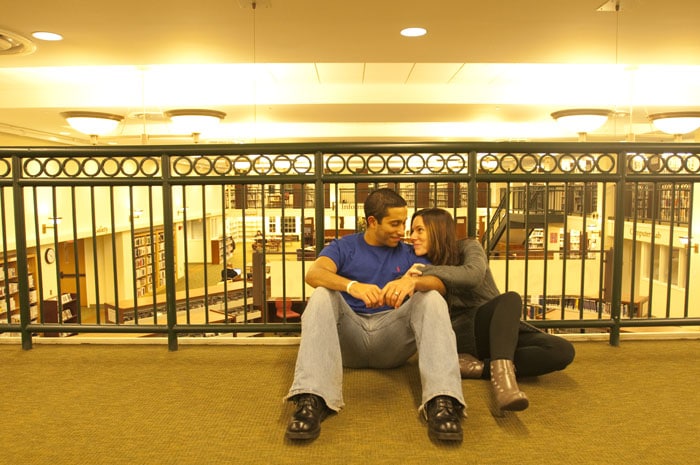
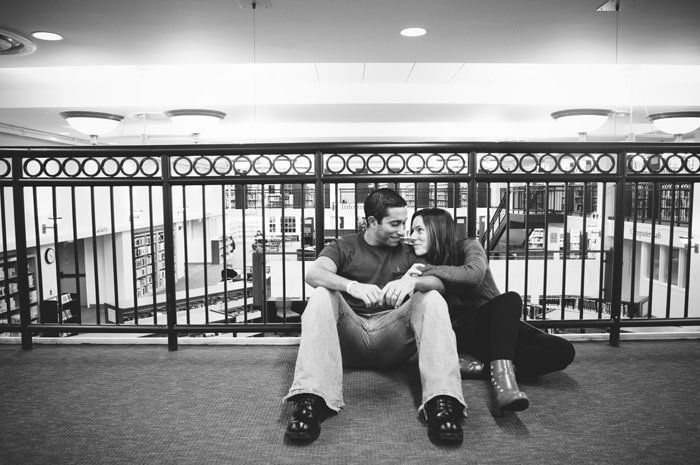
>Straight Out Of Camera, or SOOC

Couple In West Hartford Library - VSCO | Straight Out Of Camera Image

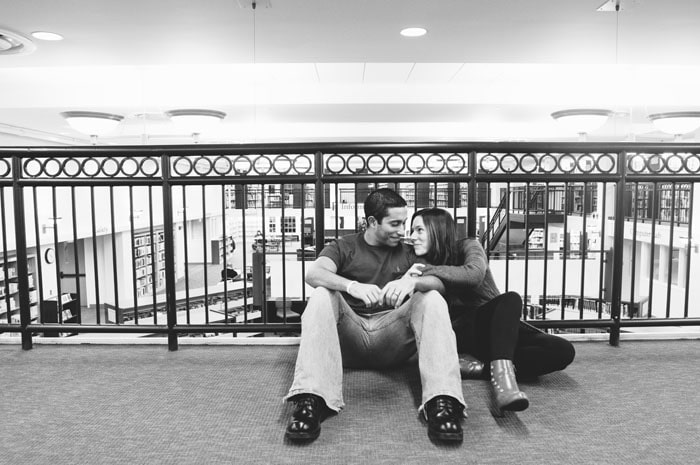
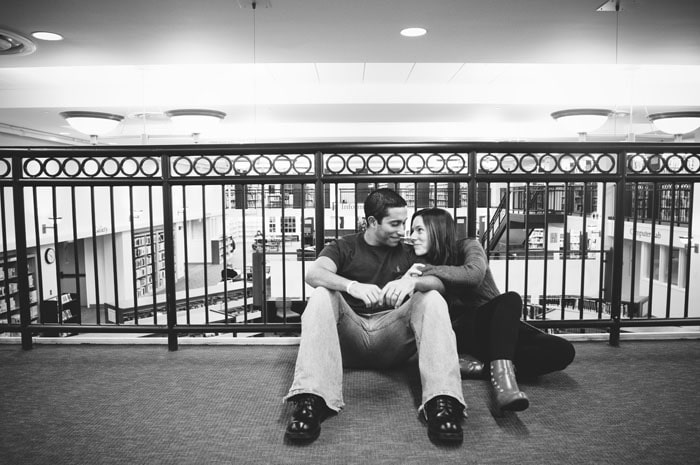
>First Tweak – Just Clicked on the TriX-400++ Preset

West Hartford Portrait Session | Visual Supply Company TriX-400++ Preset

>Second Tweak – Used the Vignette++ Preset

West Hartford Library Portrait Session | Visual Supply Company Vignette++ Preset

>Third Tweak – Used the Dark Skies+ Preset (notice how the t-shirt in this is darker?)

West Hartford Couple Portrait Session | Visual Supply Company Dark Skies+ Preset

So, in three clicks, I arrived at what I consider to be an acceptable final image, ready to be shared with my clients. The images will definitely go through another round of tweaks, in Photoshop if the clients were to order this image.

COLOR EXAMPLE

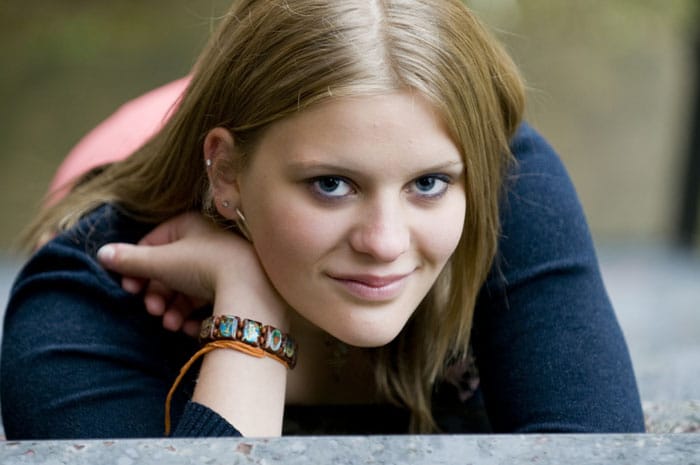
>Straight Out Of Camera, or SOOC

Senior Portrait Session In Canton, Connecticut | Straight Out Of Camera

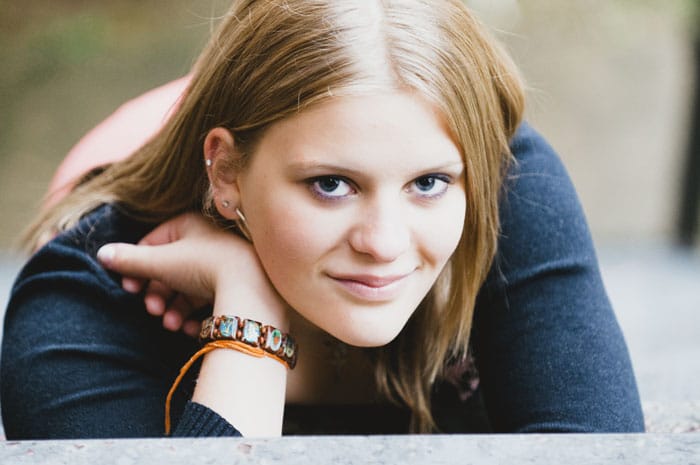
>First Tweak – Clicked on the Kodak Portra and Contrast++ presets

Portrait Session In Canton, Connecticut | Visual Supply Company Kodak Portra & Contrast++ Presets

>Second Tweak – With the above image being a little “hot” in the highlights, I used the “recovery” slider to bring back some highlight detail.

High School Senior Portrait Session In Canton, Connecticut | Visual Supply Company Recovery Slider

>The Final Image – Took this image into Photoshop and used brushes to smoothen out natural blemishes, bring some light back into the eyes and sharpen the image up.

Final Image From Senior Portrait Session In Canton, Connecticut | Tweaking Images In Photoshop

For both sets of images, I used the Visual Supply Company Studio Version. I also processed the images in ACR. With the processing engines the same in both ACR and LR, sometimes it is more convenient to fire up ACR (for a small set of images) versus Lightroom (which I use for image sets that are 100 or more). Wanting to emulate the film look, I was more enamored by the way VSCO's Film helped me produce black and white images. In fact, I might use this almost exclusively to create black & white prints for my clients.

IS THIS FOR EVERYONE?

In one quick answer, no. It's not. I would recommend you look at your needs first. Figure out whether your clients (if you are a professional) would not just see but also appreciate the look you will be producing for them. If you are an amateur or hobbyist, just looking to create images with a different look, these presets will help you achieve that. Let me put to you even more simply – if you are inclined to produce images that you want people to merely look at, then you should pass on this. However, if you are the type of photographer who wants your viewers to dip into a well of emotion and feel the image, then you should definitely buy these now.

THE SWEET DEAL THAT ENDS ON NOVEMBER 29th!

Until Monday night (that's tomorrow night), you can get the Standard, Pro and Studio versions for quite a bit off of their regular prices. I bought the Studio version as it includes both the Lightroom and ACR options for both Nikon and Canon cameras. In the event I work with a photographer who shoots with a Canon system, I can now very easily tweak her/his images as well. If your business is primarily shooting portraits, I would nudge you more towards the Pro version.

From Visual Supply Company's Twitter feed:

“All prices will increase after Monday at midnight PST #VSCOFILM. Standard $59 will be $79, Pro $99 will be $119 & Studio $179 will be $199.”

STILL NOT CONVINCED?

You should also read John Keatley's review of Visual Supply Company's Presets. And Jonas Peterson's review too. Just look at the images they have on display.

SHARE YOUR IMAGES

If you bought the Visual Supply Company presets, please share your images with me and tell me in the comments sections below which presets you liked the most. Do you use other

Disclosure of Material Connection

Filed Under: Photography Workflow Tagged With: acr, adobe photoshop, adobe photoshop lightroom, canon camera, computer graphics, digital negative, digital photography, Film, film cameras, film emulation, graphics file formats, graphics software, lightroom, nikon, Photographers, preset, process imaging, raster graphics editors, raw image format, visual, visual supply company

Photography Concentrate Offers Special Black Friday Deals For Photographers, Ends Nov. 29

November 24, 2011 by Seshu | Editor & Publisher

In the US, you are all just about ready to sit down and have a good meal with your family and friends. Here's wishing you a very Happy Thanksgiving, from my family to yours.

What comes next is usually considered the biggest SALE day of the year, or Black Friday. I haven't done that 2 am mall run in ages and have no desire to send you looking for stuff at such a witching hour either. Life isn't a scavenger hunt. Instead of buying “stuff” that will collect dust in no time, how about giving your brain a boost and learning some new techniques or getting your photography fundamentals down?

Photography Black Friday Sale

Full disclosure: Rob & Lauren of Photography Concentrate are friends. I love their products, I have used them myself and have learned a tremendous amount from them. Yes, even professionals need to keep learning. All the time. So the links you will find here are all affiliate links.

essential_camera_skills If you are just beginning to use your digital camera, consider buying Extremely Essential Camera Skills. Regularly priced at $49.95, if you buy it before November 29 (midnight), you'll save $19.98. I reviewed this gem of an ebook (comes with videos to explain a few necessary fundamental things about your camera) and everybody who has bought it through my affiliate link has thanked me later. With a whole lot of you buying cameras – be they point & shoot or DSLRs, you'll want to get this truly foundational course to get you going.

Once you have your photography skills down pat, you'll need help with editing them. The team at Photography Concentrate have a tutorial called Super Photo Editing Skills. It too is on sale. Instead of paying $79.95, you can buy it for $47.97, saving you $31.98. If you ever wanted to learn how to use Lightroom, this is a great video tutorial. What's awesome is that you can pause it, rewind and watch it again and again until the concepts and the steps make sense to you.

photo editing tutorial album design tutorialWhen you are done editing your images, you have a couple of choices. You can save them on hard drives or you can share them with the world. Albums are always a good choice because they have staying power. Awesome Album Design Skills, is another tutorial that Rob and Lauren have produced for portrait and wedding photographers. They show us how they use InDesign to quickly and efficiently create custom albums for their clients. This too will be selling for $47.97 through the end of November 29th, so you'll want to jump on this deal if you are ready to go pro. It's regularly priced at $79.95.

In addition to the sale, Photography Concentrate has a new free eBook – The Camera Buying Guide (do they just think of everything?) and giving away a Fuji Instax camera (brings you back in time to your Polaroid days doesn't it?).

Please remember that the sale starts NOW and ends on November 29th at midnight EST. If you do buy these products, please come back here and let me know what you thought about them. Your feedback is valued greatly.

Filed Under: Design & Illustration, Photography, Photography Workflow Tagged With: adobe photoshop lightroom, buy camera, camera, concentrate, digital camera, digital cameras, digital photography, digital single lens reflex camera, photographer, Photographers, Photography, photography skill, sale, special deals

  • « Previous Page
  • 1
  • …
  • 44
  • 45
  • 46
  • 47
  • 48
  • …
  • 198
  • Next Page »

Subscribe To Tiffibox Treats!

Looking for a well-curated email newsletter that will leave you inspired and motivated about your photography business? Sign up below!

About Seshu

Seshu creates relaxed portraits of families and high school seniors in Avon, Connecticut. He also leads a successful headshot photography studio in Connecticut, helping professionals from a variety of disciplines project the very best versions of themselves. He created Tiffinbox as a way of inspiring photographers, to create better images and successful businesses. [Read More]

Email Templates For Headshot Photographers

Email Templates for Headshot Photographers

Recent Posts

  • How Capture One Changed My Event Photography
  • 10 Steps To Stay Positive In Times Of Great Stress
  • Why You Need To Read “Personal Branding For Photographers” Now
  • How To Master Your Website Content Step By Step?
  • Tony Taafe’s TNT Method For Headshot Photographers

Recent Comments

  • Stephen Davison on Are You A Business Owner Who Is Smart, But Stuck?
  • Ben A. on Don Giannatti Clinches The 8th Annual Tiffinbox Award
  • Dan on Don Giannatti Clinches The 8th Annual Tiffinbox Award
  • Donald Giannatti on Don Giannatti Clinches The 8th Annual Tiffinbox Award
  • Stephen Davison on G.E. Masana’s 6 Strategies For Wedding Photography Success
  • Naveen Kumar on Weddings In India Are More Than Being At The Right Place And At The Right Time
  • kartick on Weddings In India Are More Than Being At The Right Place And At The Right Time
  • Leonid Farbman on 6 Uncommon Trends To Grow Your Photography Business
  • Willow and Finch Wedding Photography on 11 Reception Tips To Help Your Wedding Photography
  • Web Designer Malaysia on How To Optimize Your Squarespace Website For Search Engines
  • Creastan on An Interview With Photojournalist G.M.B. Akash
  • Cindy Brown | Atlanta on An Open Letter To A Local Photographer

Become a Patron!

Copyright © 2026 · Tiffinbox · Site Design by Heather Mackan Creative · Built on Genesis