• Photography
  • Interviews
  • Business
  • Reviews

Tiffinbox

Inspiring Photographers

  • Home
  • About
  • Blog
  • Contact

Discovering Brett Jarnagin’s Lightroom Retouching Toolkit

August 31, 2015 by Seshu | Editor & Publisher

When Brett Jarnagin and I connected, it was at Photo Plus Expo some years back. The funny thing is, he didn't remember me from way back then. But the guy can be excused because he was manning a busy booth and he must have talked to thousands of other photographers on that day in New York.

Fast forward to just a few weeks back and I came to know that Brett is the brains behind Lightroom Retouching Toolkit. As someone who enjoys working quickly and efficiently on his iMac, I was naturally intrigued about what Brett was promoting.
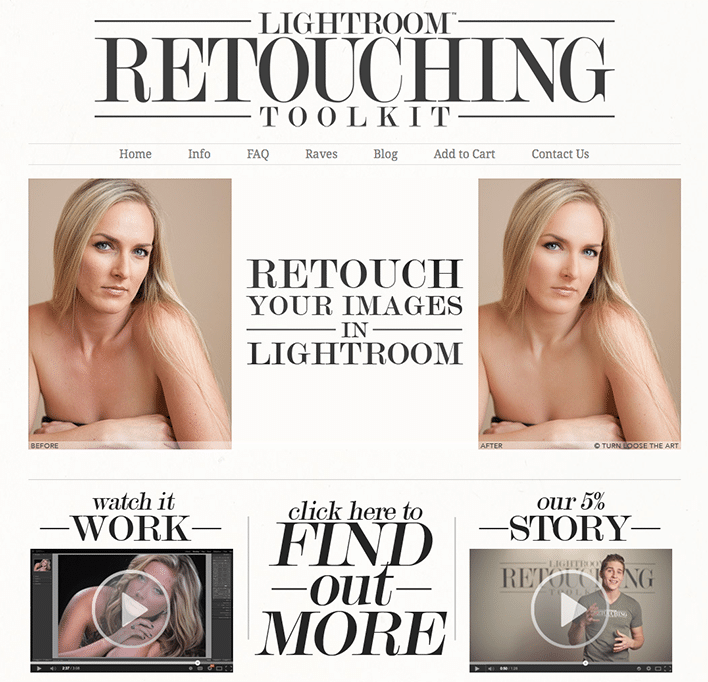
Lightroom Retouching Toolkit

I wanted to know whether I could work on photographs like I did with Photoshop and his quick answer was, “heck yeah!” That had me 90% there but I wasn't going to be convinced until I started using his Lightroom Retouching Toolkit for my own busy business portrait business in Connecticut.

Let me tell ya, the experience is amazing. Yes, it does take a little effort in learning where some of the buttons are, but once you repeatedly use the interface, you should be all set. As always the more you practice with the presets and settings and dial them to your liking and make the program really do what you want it to do, the better your results are going to be.

I sat down with Brett to talk to him about Lightroom Retouching Toolkit; to better understand why he decided this was a good time to bring this to market and how it has helped him and other photographers in the industry to sail through the dreaded tasking of retouching skin in particular and portraits, in general.

Oh, one more thing. You want to know how generous Brett is? Even before I could say, “hey, can you hook my audience with a discount code,” he sent me a quick text to say that he would be happy to extend a 20% discount code to all of you if you wanted to buy Lightroom Retouching Toolkit today.

Here is the code – TIFFINBOX20 – remember it's 20% off the regular price of Lightroom Retouching Toolkit for fans of Tiffinbox.

And you are a fan, right?

Filed Under: Interviews, Photography, Photography Workflow, Web/Tech Tagged With: adobe photoshop, adobe photoshop lightroom, Brett Jarnagin, Business Portraits, Portrait Business, Retouch Skin, Retouched

What Photoshop Techniques Do You Want To Learn From Lindsay Adler?

June 30, 2015 by Seshu | Editor & Publisher

Lindsay Adler is a renowned portrait and fashion photographer based in New York City. It is quite likely that you have seen her teaching on CreativeLive or KelbyOne.

On July 1st, she will be conducting a free webinar thanks to ShootDotEdit. While she is a master as lighting, posing and photography, she also commands a great level of respect from her peers for her retouching, using Photoshop. Indeed, the free webinar she is teaching is called Photoshop Techniques for Photographers.

Lindsay and I managed to speak briefly about her background in the industry, why she is compelled to teach and of course about her upcoming webinar on Photoshop. Give this chat a listen now:

Be sure to buy and read Lindsay's books:

Creative 52: Weekly Projects to Invigorate Your Photography Portfolio
Shooting in Sh*tty Light: The Top Ten Worst Photography Lighting Situations and How to Conquer Them
Fashion Flair for Portrait and Wedding Photography
The Linked Photographers' Guide to Online Marketing and Social Media.

Reading and learning from her blog is time well spent. And, she has lots of wonderful resources to buy through her online store.

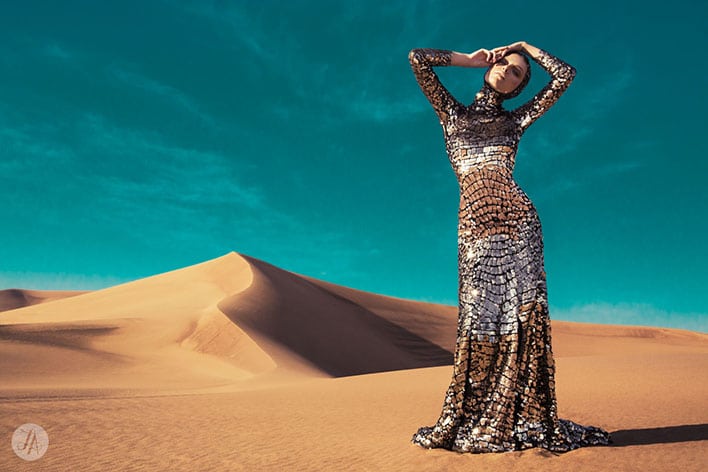
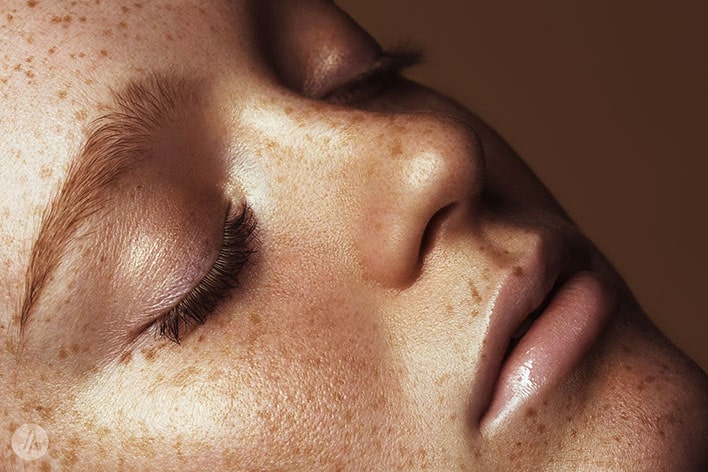
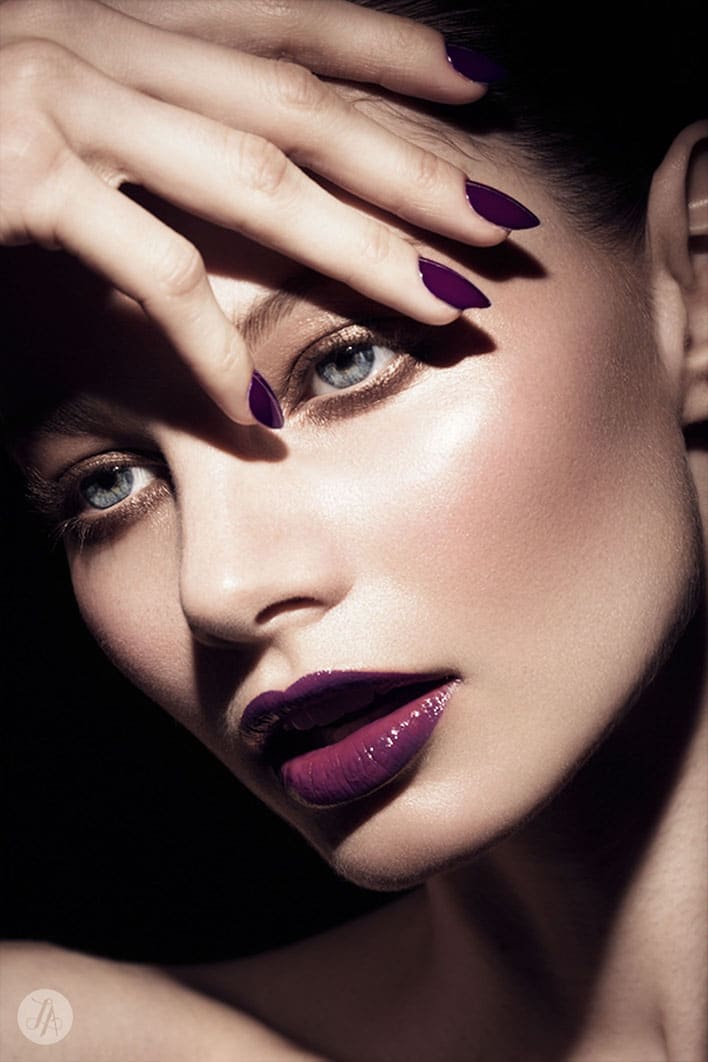
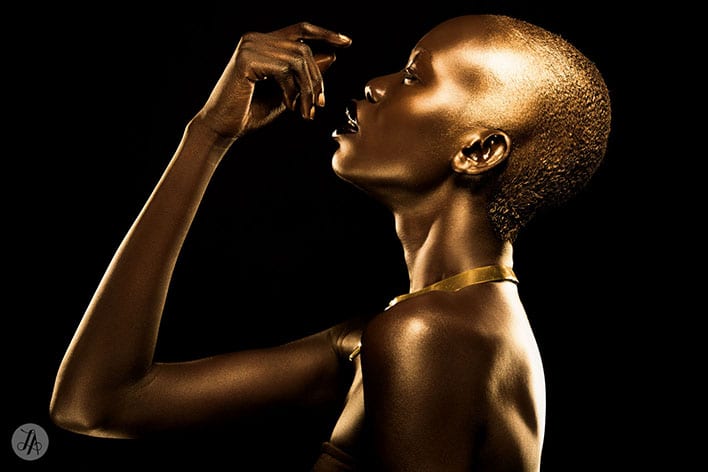
For a small sample of Lindsay's work, scroll down! Do you now see how amazing she is with Photoshop? Register today for her webinar.

Lindsay Adler, Portrait & Fashion Photographer in New York City

Lindsay Adler, Portrait & Fashion Photographer in New York City

Lindsay Adler, Portrait & Fashion Photographer in New York City

Lindsay Adler, Portrait & Fashion Photographer in New York City

Lindsay Adler, Portrait & Fashion Photographer in New York City

Lindsay Adler, Portrait & Fashion Photographer in New York City

Lindsay Adler, Portrait & Fashion Photographer in New York City

Lindsay Adler, Portrait & Fashion Photographer in New York City

Lindsay Adler, Portrait & Fashion Photographer in New York City

Lindsay Adler, Portrait & Fashion Photographer in New York City

Lindsay Adler, Portrait & Fashion Photographer in New York City

Lindsay Adler, Portrait & Fashion Photographer in New York City

Lindsay Adler, Portrait & Fashion Photographer in New York City

Lindsay Adler, Portrait & Fashion Photographer in New York City

And if you are looking for other opportunities to learn from industry leaders, skip on to ShootDotEdit‘s website and check out all the free educational webinars here.

Filed Under: Home Middle Right, Interviews, Photography, Workshops Tagged With: adobe photoshop, Digital Art, Fashion Photographer, Lindsay Adler, photo manipulation, Photography Lighting, Photography Portfolio, Photoshop Techniques, Retouched, Will Teach

Using Sexy Light On The Beach

July 14, 2014 by MP Singh

Behind The Scene Look: How I Got That Shot

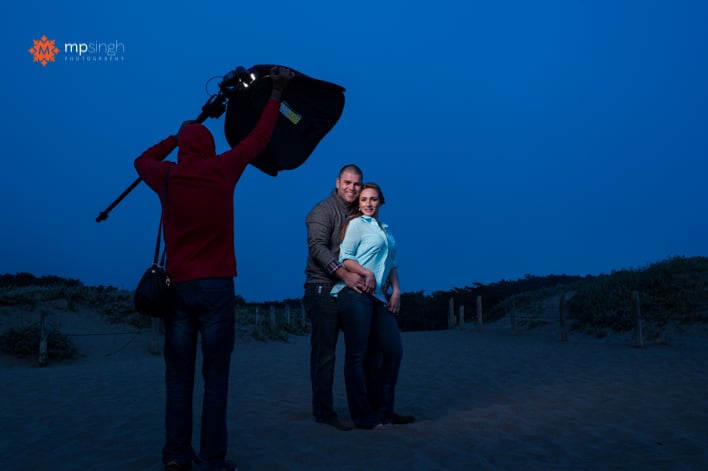
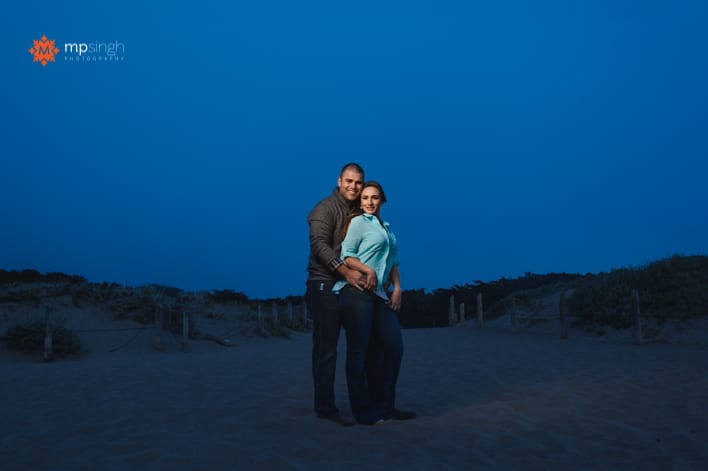
The image you see below was created as part of an engagement session. It was towards the end of shoot when we were at a beach and sun had already gone down. The park visiting hours were already over and there was a cop driving everyone out. And it was cold, the chill factor in the wind was sending shivers down our spines. We quickly grabbed couple of shots and drove out of the park.

MPSingh Photography - Couple On The Beach

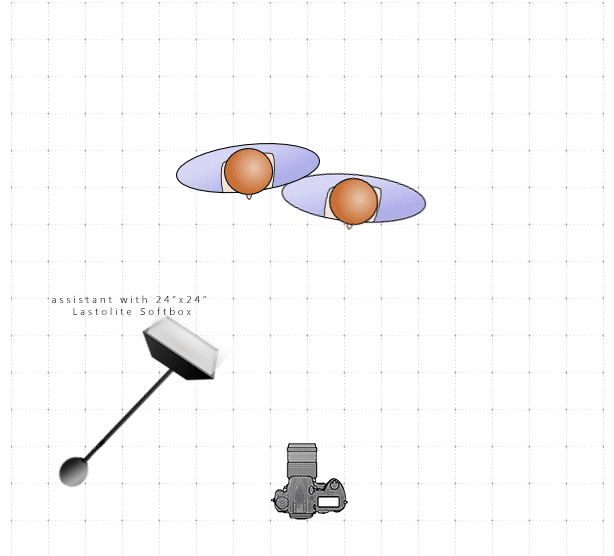
This shot was taken with the help of an off camera flash, Nikon SB900 inside a Lastolite 24″x24″ softbox, triggered with my trusted Pocket Wizards. The following is a lighting diagram showing the set up for this shoot.

MPSingh Photography - Couple On The Beach Lighting Diagram

The flash had a full cut CTO (color temperature orange) gel on it. I wanted to give the feel for the post dusk bluish night sky. So I turned my camera to tungsten white balance. This gives the blue tint to the whole image. To compensate the blue tone on the subjects and bring the skin color back to normal yellow/orange tones, the flash had the orange gel on it. The full cut CTO gel fully compensates for the tungsten white balance.

Another challenge was that we required the light to be very close to the couple and we wanted wide angle shot to include more of the background for context. So the assistant was in the picture.

MPSingh Photography - Couple On The Beach

The Photoshop Work

To fix that we took two shots, one with assistant lighting the couple and in the shot. Before the second shot, the assistant ran out of frame and switched off the light. So the second shot was taken with the couple without any light. Once we take these two shots it is very easy to do a composite in Photoshop:

1. Open both the images in Photoshop as layers, with the image with assistant as the top layer.

2. Auto align layers (Edit –> Auto-Align). When we don't use a tripod there is always a slight movement of the camera and the frame changes. To compensate for that, we have to align the layers.

3. Once the layers are aligned, select the top layer and use layer mask to mask out the assistant. Now we are using everything else from this layer except area where assistant was. That area is picked up from the layer beneath.

4. Make other changes as required.

And, voilá, we have our final image. Do you have any questions? Feel free to ask below!

Filed Under: Home Middle Right, Lighting, Photography Tagged With: adobe photoshop, camera flash, Color Gel, digital photography, Flash, image processing, Layers, off-camera flash, Orange Gel, photographic lighting

3 E-Books That Will Help You Master Lightroom, One Step At A Time

November 2, 2013 by Seshu | Editor & Publisher

All indications are you use either Photoshop or Lightroom. If you are editing one image at a time, they would both work, but I'll be you use Photoshop. But if being efficient is your goal, you will want to invest in Lightroom.

Like Photoshop, though, Lightroom is getting more and more complex to use. I have to admit I don't use all of its features, though I know I will be a whole lot more efficient if I did.

There are a few resources for you to learn how to use Lightroom to its fullest capacity:

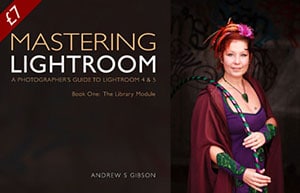
Mastering Lightroom: The Library Module

Mastering Lightroom Book One: The Library Module This is an e-book by fine art photographer and author Andrew Gibson. You can buy Mastering Lightroom: The Library Module from Andrew's website, or here at PhotoDough.com for the next few days for $7. Andrew is well-known for his concise writing and clear teaching style. Learn more about Mastering Lightroom here.

Lightroom 5 Unmasked

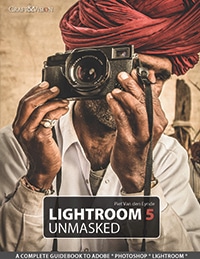
Lightroom 5 Unmaked by Piet Van den EyndeLightroom 5 Unmasked is an e-book by Piet Van den Eynde and distributed by Craft & Vision. It's 356 pages deep. If you are ready to go in for a deep dive, this might be the one you want to consider. If you are still using Lightroom 4, however, you may want to buy this e-book by Piet Van den Eynde instead. Also check out out other ebooks by Piet Van den Eynde here. Either version is $20 each. Both are well-researched, provide interesting case studies and are exquisitely designed with a wonderful array of visual examples.

Adobe Lightroom 5 The Missing FAQ

Adobe Lightroom 5 - The Missing FAQ - by Victoria Bampton This tome by Victoria Bampton, an Adobe Community Professional & Certified Expert for Lightroom, is very well regarded in the industry because Victoria constantly finds ways to upgrade it and make it better as Adobe tinkers with the program. If you have a question about Lightroom, this is the go-to-guide for you. It's about $50 for both the e-book and paperback versions. I would get both if I were you. Also, get a flavor of her writing through this free Lightroom 5 Quick Start Guide.

There are obviously other fantastic resources available for learning Lightroom, but I wanted to get these three resources in front of you as they are likely to appeal to someone who wants to get their feet wet in Lightroom quickly.

If you are one of them and you buy any of these e-books, would you please come back here and tell me what you thought of them? Thank you!

Filed Under: Home Middle Left, Photography, Web/Tech Tagged With: adobe lightroom, adobe photoshop, Andrew Gibson, Craft & Vision, E-books, Learning, Piet Van den Eynde, Victoria Bampton

How Photographers Can Copyright, Manage & Protect Their Images

April 9, 2012 by A.J. Wood

An Adobe Community Professional, you can find A.J. posting video tutorials & reviews on his website, when he’s not creating content for Layers Magazine or GeekBeat.TV. This is his second guest blog post for Tiffinbox. Read his first post as well. Then follow him on Twitter.

First, I want to thank Seshu for having me back on his blog. My schedule is such that I really try to make time for these guest articles; it's truly a privilege to contribute to the community.

For today's post I wanted to discuss copyright, and what you're not doing about it. I'm constantly surprised at the number of photographers who don't register their image copyrights. If you consider yourself a professional photographer, act professionally for the sake of your business and register your images. It's easy and affordable ($35), especially when compared to the insane amount of money you spend on your equipment. It can also be done online through the Electronic Copyright Office (eCO).

As I re-read the above paragraph, I can see how I'm coming off a bit harsh. Not my intention, it's just lately I've come across more photographers who have seen their work used by someone else. It's easy for you to register, it's even easier for someone to grab your image and use it. Consider this recent example in which Will King Photography was blatantly ripped off by 367 Media. What I find interesting is the folks that stole Will's images are located in the same geographic area. Usually, when I hear of these cases, they occur in other countries or different states.

In a previous post Seshu suggests you secure your images, and provides a link to David Riecks security page. Those are all good suggestions for discouraging infringement.

Registering your copyright is going to be your go-to solution if infringement happens.

Copyright is a civil matter handled in federal court. Without proper copyright registration you may be entitled to actual damages, e.g., standard licensing fees, profits received from infringement, and little else. You will not receive any statutory damages without proper registration. Considering most photographers reading this are using some sort of DAM (digital asset management) for organizing photos adding registration to your digital workflow wouldn't be too hard. For Lightroom & Photoshop enthusiasts I've recorded two videos on adding metadata to your images. Not only is this a good idea for SEO purposes, it's also a great way to ensure your copyright info is embed in every image you post. Did I mention most thieves are lazy? Yup, you shouldn't be surprised how many times your image is reposted as is, without even a name change, metadata intact.

Lightroom SEO

Photoshop SEO

Here are some additional resources to learn more about copyright registration:

1. The PPA helps photographers educate their customers on why copyright is important.

2. Ken Kaminesky interviews Carolyn Wright aka The Photo Attorney who answers photographers burning copyright questions.

3. Jack Reznicki & Ed Greenberg produced the Photographers Legal Guide on DVD, which you can purchase through Kelby Training.

DISCLAIMER – I am not an attorney, nor is this article to be considered professional legal advice.

Do you copyright your images? Tell us about your process down below! You may want to consider a company like MyOWS to help you copyright and then manage and protect your images.

Filed Under: Business, Photography Tagged With: adobe lightroom, adobe photoshop, copyright, copyright law, digital asset management, images, library and information science, manage, photographer, professional photographers, property, protect, protect image, seo, Tutorials, united states copyright law, united states copyright office, videos

  • 1
  • 2
  • 3
  • Next Page »

Subscribe To Tiffibox Treats!

Looking for a well-curated email newsletter that will leave you inspired and motivated about your photography business? Sign up below!

About Seshu

Seshu creates relaxed portraits of families and high school seniors in Avon, Connecticut. He also leads a successful headshot photography studio in Connecticut, helping professionals from a variety of disciplines project the very best versions of themselves. He created Tiffinbox as a way of inspiring photographers, to create better images and successful businesses. [Read More]

Email Templates For Headshot Photographers

Email Templates for Headshot Photographers

Recent Posts

  • How Capture One Changed My Event Photography
  • 10 Steps To Stay Positive In Times Of Great Stress
  • Why You Need To Read “Personal Branding For Photographers” Now
  • How To Master Your Website Content Step By Step?
  • Tony Taafe’s TNT Method For Headshot Photographers

Recent Comments

  • Stephen Davison on Are You A Business Owner Who Is Smart, But Stuck?
  • Ben A. on Don Giannatti Clinches The 8th Annual Tiffinbox Award
  • Dan on Don Giannatti Clinches The 8th Annual Tiffinbox Award
  • Donald Giannatti on Don Giannatti Clinches The 8th Annual Tiffinbox Award
  • Stephen Davison on G.E. Masana’s 6 Strategies For Wedding Photography Success
  • Naveen Kumar on Weddings In India Are More Than Being At The Right Place And At The Right Time
  • kartick on Weddings In India Are More Than Being At The Right Place And At The Right Time
  • Leonid Farbman on 6 Uncommon Trends To Grow Your Photography Business
  • Willow and Finch Wedding Photography on 11 Reception Tips To Help Your Wedding Photography
  • Web Designer Malaysia on How To Optimize Your Squarespace Website For Search Engines
  • Creastan on An Interview With Photojournalist G.M.B. Akash
  • Cindy Brown | Atlanta on An Open Letter To A Local Photographer

Become a Patron!

Copyright © 2026 · Tiffinbox · Site Design by Heather Mackan Creative · Built on Genesis