• Photography
  • Interviews
  • Business
  • Reviews

Tiffinbox

Inspiring Photographers

  • Home
  • About
  • Blog
  • Contact

What Photoshop Techniques Do You Want To Learn From Lindsay Adler?

June 30, 2015 by Seshu | Editor & Publisher

Lindsay Adler is a renowned portrait and fashion photographer based in New York City. It is quite likely that you have seen her teaching on CreativeLive or KelbyOne.

On July 1st, she will be conducting a free webinar thanks to ShootDotEdit. While she is a master as lighting, posing and photography, she also commands a great level of respect from her peers for her retouching, using Photoshop. Indeed, the free webinar she is teaching is called Photoshop Techniques for Photographers.

Lindsay and I managed to speak briefly about her background in the industry, why she is compelled to teach and of course about her upcoming webinar on Photoshop. Give this chat a listen now:

Be sure to buy and read Lindsay's books:

Creative 52: Weekly Projects to Invigorate Your Photography Portfolio
Shooting in Sh*tty Light: The Top Ten Worst Photography Lighting Situations and How to Conquer Them
Fashion Flair for Portrait and Wedding Photography
The Linked Photographers' Guide to Online Marketing and Social Media.

Reading and learning from her blog is time well spent. And, she has lots of wonderful resources to buy through her online store.

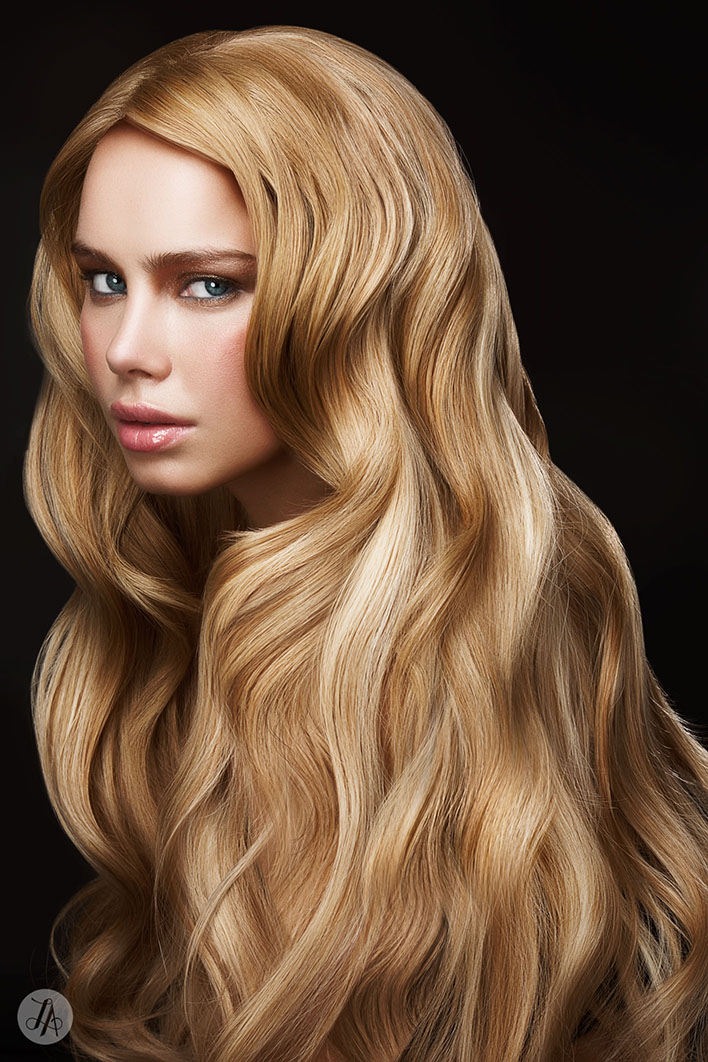
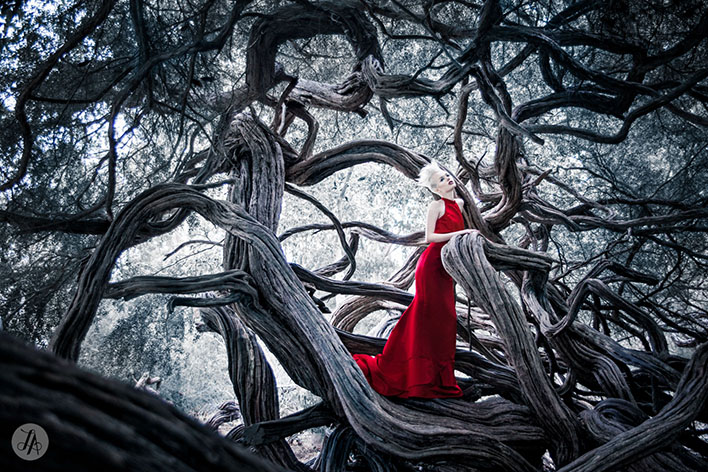
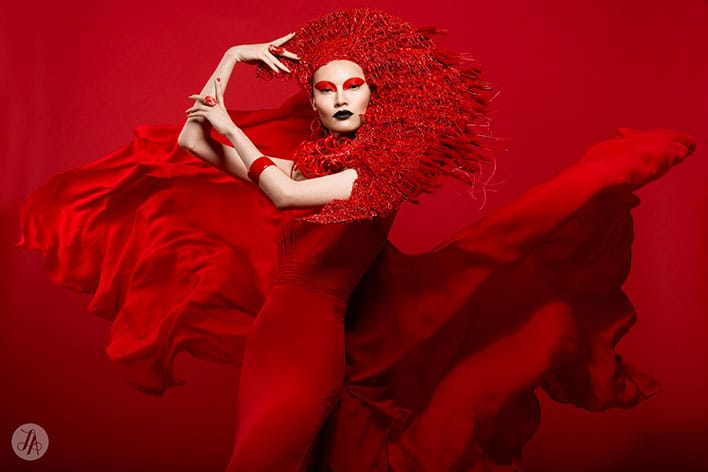
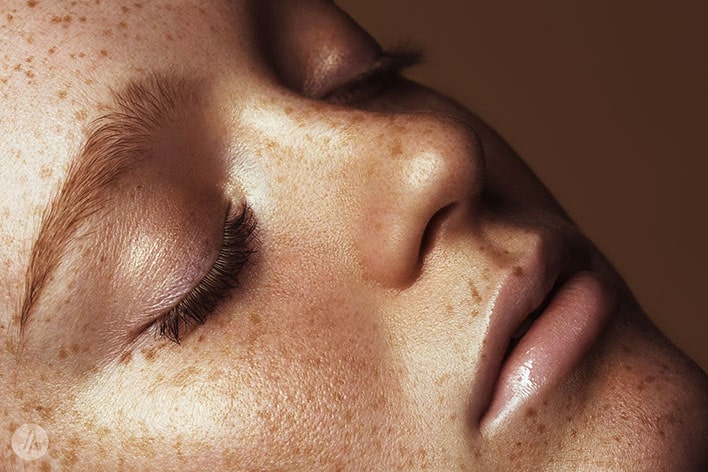
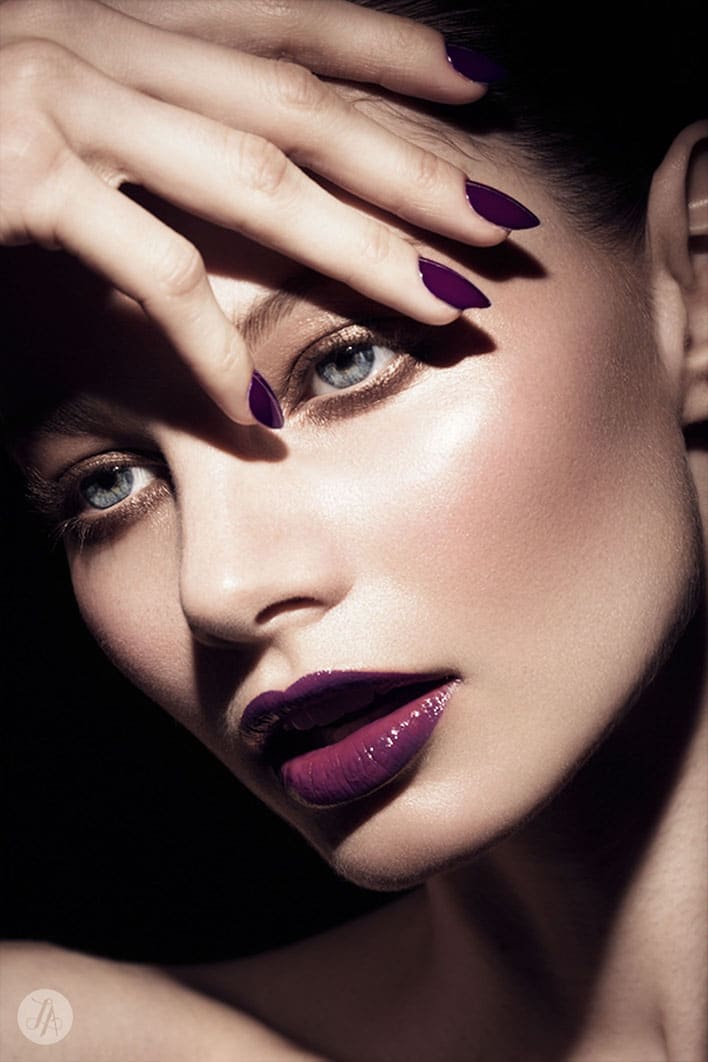
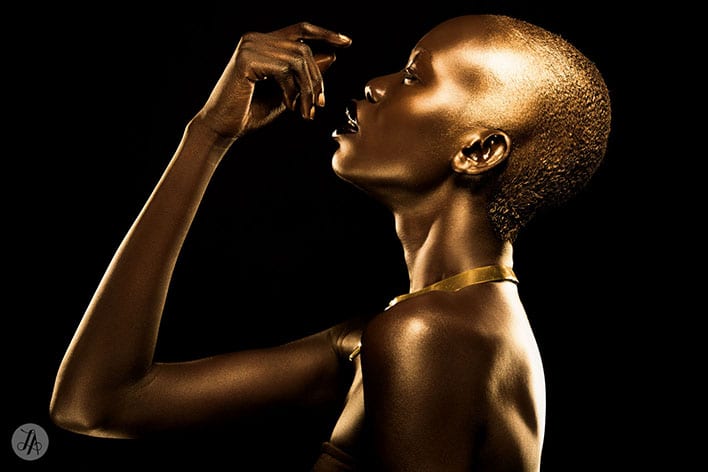
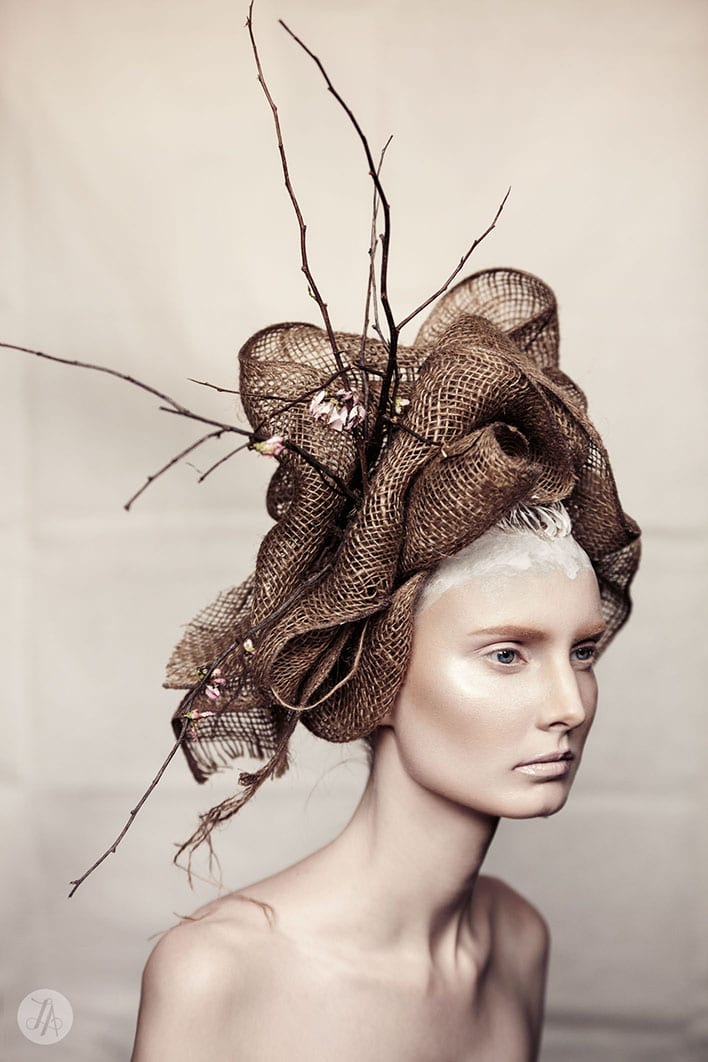
For a small sample of Lindsay's work, scroll down! Do you now see how amazing she is with Photoshop? Register today for her webinar.

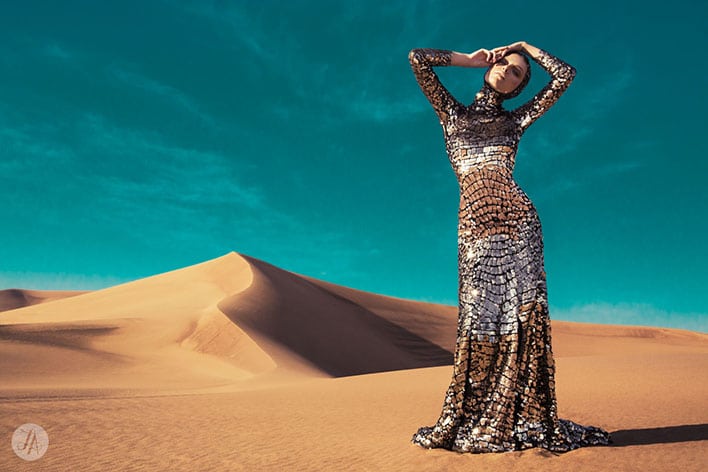
Lindsay Adler, Portrait & Fashion Photographer in New York City

Lindsay Adler, Portrait & Fashion Photographer in New York City

Lindsay Adler, Portrait & Fashion Photographer in New York City

Lindsay Adler, Portrait & Fashion Photographer in New York City

Lindsay Adler, Portrait & Fashion Photographer in New York City

Lindsay Adler, Portrait & Fashion Photographer in New York City

Lindsay Adler, Portrait & Fashion Photographer in New York City

Lindsay Adler, Portrait & Fashion Photographer in New York City

Lindsay Adler, Portrait & Fashion Photographer in New York City

Lindsay Adler, Portrait & Fashion Photographer in New York City

Lindsay Adler, Portrait & Fashion Photographer in New York City

Lindsay Adler, Portrait & Fashion Photographer in New York City

Lindsay Adler, Portrait & Fashion Photographer in New York City

Lindsay Adler, Portrait & Fashion Photographer in New York City

And if you are looking for other opportunities to learn from industry leaders, skip on to ShootDotEdit‘s website and check out all the free educational webinars here.
Filed Under: Home Middle Right, Interviews, Photography, Workshops Tagged With: adobe photoshop, Digital Art, Fashion Photographer, Lindsay Adler, photo manipulation, Photography Lighting, Photography Portfolio, Photoshop Techniques, Retouched, Will Teach

How To Concentrate On Your Photography

August 2, 2012 by Seshu | Editor & Publisher

We've all been there. At the beginning. Where we didn't know anything, or we knew a few things about photography but were awfully rough at the edges.

Sure, we were proud of those first images but didn't know an f/stop from a door stop, didn't know our way around Lightroom or Photoshop, our wedding photography business was complicated and our album designs looked more like a quilt, a hodgepodge of images thrown onto a page.

Look, even I'll admit I have been there.

We all had to start somewhere. With practice and the right tools things just came together for me. One more thing helped – having the right mentors walk with me on this journey. I am sure you've felt this way as well – you wanted, no needed, somebody to hold your hand.

For me, Rob and Lauren of Photography Concentrate have done just that through their photography tutorials.

Photography Concentrate Relaunches With 30% Off Sale

To celebrate the relaunch of their site they're having a mega sale! For a very limited time you can get any of their four tutorials for 30% off!! The sale is starting right now, so you can grab them today! They have:

• Simple Wedding Photography [affiliate link] (Reg. US$39.95, On Sale for only US$27.97)? An e-book that teaches you everything you need to know about photographing weddings, and the business behind it.
• Extremely Essential Camera Skills [affiliate link] (Reg. US$49.95, On Sale for only US$34.97)? A multi-media tutorial designed to help you get control over your camera, and get creative and confident with your photography. 
• Super Photo Editing Skills [affiliate link] (Reg. US$79.95, On Sale for only US$55.97)? A video tutorial that teaches you how to bring the best out of your images using Adobe Lightroom 4.
• Awesome Album Design Skills [affiliate link] (Reg. US$79.95, On Sale for only US$55.97)? A video tutorial that shows you how to quickly design beautiful albums using Adobe InDesign.

All of their tutorials are digital products available for immediate download, so you can start learning right away. The sale prices are automatically applied, so it's nice and easy to save big!

Thankfully, the photography industry has changed over the last 10 years where sharing information has become more of the norm. It's rather rare for Photography Concentrate to hold a sale like this, so, if you have been eyeing their tutorials, this is the time to get it.

Oooh, before I forget, you could win a $200 gift card to Amazon.com if you comment here.

If you buy any of the Photography Concentrate tutorials now through August 9th (when the sale ends), please come back here and let me know in the comments section below what you thought of them.

As always, I will never recommend anything to you unless I have given the products or services a try myself. Please do note that you should safely assume that all links in this post are affiliate links.

Filed Under: Photography, Tutorials Tagged With: adobe photoshop lightroom, concentrate, photo manipulation, Photography, Photography Business, photography industry, photography tutorials, relaunches, tutorial, Wedding Photography, wedding photography business, your photography

Keep It Simple Photo Workflow

August 15, 2011 by Seshu | Editor & Publisher

I've described my photography workflow before. At its core is the belief that by keeping things simple, my workflow will cut short the time I spend in front of the computer and allow me to return to making images or spending more time with my family.

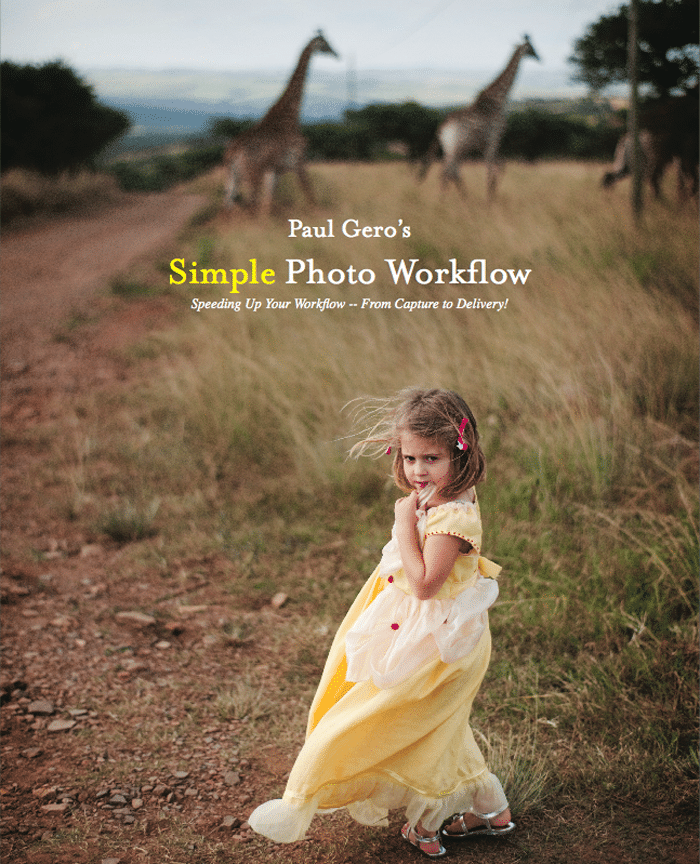
Fortunately, I am not alone in this line of thinking. Paul Gero, a friend and fellow photographer based in Orange County, California has published a lucid, step-by-step guide for a vast majority of photographers who have no clue about post production or who are frazzled by all the tools and options presented to them. The guide book is called Simple Photo Workflow.

Paul Gero's Simple Photo Workflow

With over 20 years of experience as a photographer – first at newspapers and then documenting weddings and portraits – Gero is one photographer whose words and work I trust. You may recall his excellent guest blog post on Tiffinbox – Control & Chaos: Two Genres of Photography.

Now, go on check his blog out. It's a source of weekly inspiration for me. Set aside for a moment the way Gero expresses the light and life he sees in front of him. I think he is a master at photographing the unguarded moment. However, take another look at the way the images are processed.

To my eyes, there is nothing complicated about them, yet they are brilliant. I see natural skin tones, just the right amount of grain, light vignetting that draws your eyes to the main subject of the frame and the black & white images that have both depth and drama to them. With Photoshop and other image processing tools, it's much too easy to go crazy and drop layer after layer of actions, until your vision of the final image is not only blurred, it's obliterated.

Getting back to saving time, the post production work Gero introduces us to in his new e-book, is simple, yet elegant. It won't stress you or your computer out. Gero expresses his thoughts simply as well. Chapters on exposure, editing, raw processing, using Lightroom and photo finishing (retouching) are all punctuated with exceptional examples and step-by-step instructions, so you'll never falter. As a bonus, Gero has a “cheat-sheet” at the end of the book that walks you through all of the processes he goes through when he is editing his own images! This is like looking over his shoulder and watching him work, except you'll be doing it yourself and learning from it.

If you already use Photomechanic, Lightroom and Photoshop and use them well, then this ebook isn't for you. However, if you do use these programs in your post-production work and you are just stumbling along, I urge you to . Yes, I called it an ebook before, but it's much more than that. You'll want to print it out (as I have) and use it as you edit your images. Once your post production become intuitive, then you can go in and customize the system.

Full disclosure – I received a complimentary copy of the ebook to review but I am not an affiliate and I do not make a dime off of the sale of this wonderful book. I am recommending it here solely on its merit.

Want your own copy? Use “seshu” between today and August 29 to buy it for $47 (regular price is $77). I am sure you want to save $30.

Filed Under: Photography Workflow Tagged With: adobe photoshop, adobe photoshop lightroom, computer graphics, graphics software, guide books, images, keep it simple, orange county, paul gero, photo manipulation, photographer, Photography, process imaging, simple photos, vignetting, Workflow

Subscribe To Tiffibox Treats!

Looking for a well-curated email newsletter that will leave you inspired and motivated about your photography business? Sign up below!

About Seshu

Seshu creates relaxed portraits of families and high school seniors in Avon, Connecticut. He also leads a successful headshot photography studio in Connecticut, helping professionals from a variety of disciplines project the very best versions of themselves. He created Tiffinbox as a way of inspiring photographers, to create better images and successful businesses. [Read More]

Email Templates For Headshot Photographers

Email Templates for Headshot Photographers

Recent Posts

  • How Capture One Changed My Event Photography
  • 10 Steps To Stay Positive In Times Of Great Stress
  • Why You Need To Read “Personal Branding For Photographers” Now
  • How To Master Your Website Content Step By Step?
  • Tony Taafe’s TNT Method For Headshot Photographers

Recent Comments

  • Stephen Davison on Are You A Business Owner Who Is Smart, But Stuck?
  • Ben A. on Don Giannatti Clinches The 8th Annual Tiffinbox Award
  • Dan on Don Giannatti Clinches The 8th Annual Tiffinbox Award
  • Donald Giannatti on Don Giannatti Clinches The 8th Annual Tiffinbox Award
  • Stephen Davison on G.E. Masana’s 6 Strategies For Wedding Photography Success
  • Naveen Kumar on Weddings In India Are More Than Being At The Right Place And At The Right Time
  • kartick on Weddings In India Are More Than Being At The Right Place And At The Right Time
  • Leonid Farbman on 6 Uncommon Trends To Grow Your Photography Business
  • Willow and Finch Wedding Photography on 11 Reception Tips To Help Your Wedding Photography
  • Web Designer Malaysia on How To Optimize Your Squarespace Website For Search Engines
  • Creastan on An Interview With Photojournalist G.M.B. Akash
  • Cindy Brown | Atlanta on An Open Letter To A Local Photographer

Become a Patron!

Copyright © 2026 · Tiffinbox · Site Design by Heather Mackan Creative · Built on Genesis