• Photography
  • Interviews
  • Business
  • Reviews

Tiffinbox

Inspiring Photographers

  • Home
  • About
  • Blog
  • Contact

How Capture One Changed My Event Photography

August 5, 2024 by Joe Jenkins

Reese Witherspoon at the Docusign event. Photography by Joe Jenkins Photography.

Reese Witherspoon at the Docusign event. Photography by Joe Jenkins Photography.

My name is Joe, and I’m a professional photographer in New York City. My primary focus (I find it impossible to go one paragraph without running into a photography pun) is on event work and portraiture. Since falling into this occupation in 2013 and up through 2023, I edited my event work in the same manner that 98% of the rest of the professional event community does – with Adobe Lightroom. Lightroom in and of itself is a fantastic program and principally shines as a workflow workhorse – allowing you to get through huge volumes of images in a professionally respectable time (and let’s face it, its cataloging system is amazing).

My Process Prior to Capture

Prior to using Capture One for my event photography (you’re welcome to view my NYC event photographer portfolio here), my process for loading and editing was fairly standard and straight forward. I would:

1. Load the images
2. Cull the images
3. Adjust exposure as needed
4. Add a global contrast boost by around +20
5. Export to JPG

That’s it. That’s pretty much all I did – and every time. Sure, every now and again I might need to pull up some shadows or pull down some highlights in danger of clipping, but other than that, there was a rather large creative vacuum in my work.

Granted, the vast majority of said work was for corporate events and nightlife (two areas of photography in and of themselves that don’t require the most creative amounts of editing in the world), and so my editing process over the years was largely mechanical and clients never complained.

Where it all Began

My first forays into using Capture for my event work began with a bridal shower over by Wall Street – it was being hosted in the bride’s apartment building. Not really having an idea on what to expect, in I walked that afternoon on one of the most inordinately nice “afternoon tea” setups I’ve ever been to (not that I regularly walk in on afternoon tea setups, but you get the idea).

The room itself had this old Edwardian/Victorian feel, with a center long table decorated meticulously for the occasion and a couple lace curtain windows softly lighting everything.
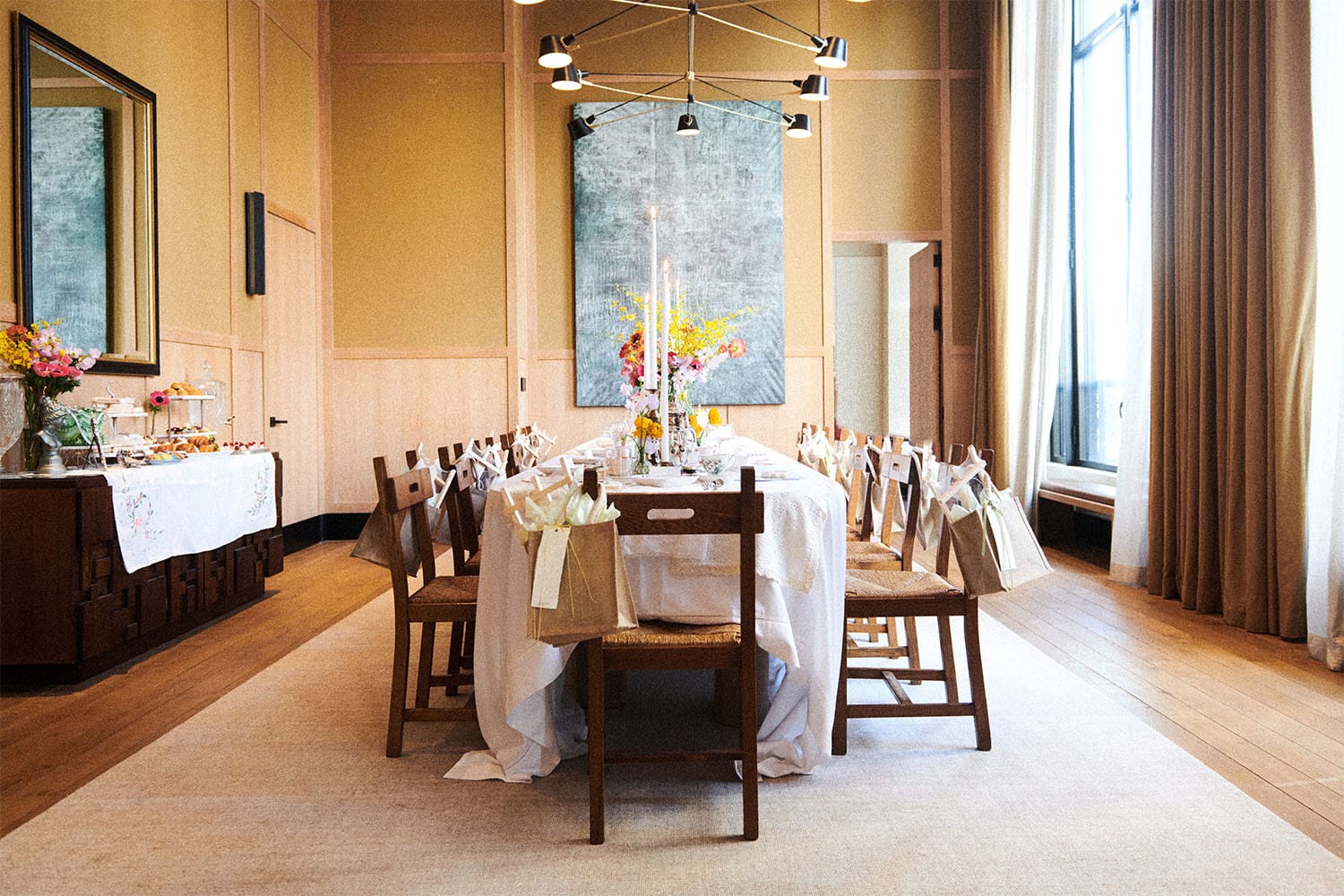
Everyone in attendance (all women, as its a bridal shower) was dressed thematically for the day (the theme being something akin to Downton Abbey).

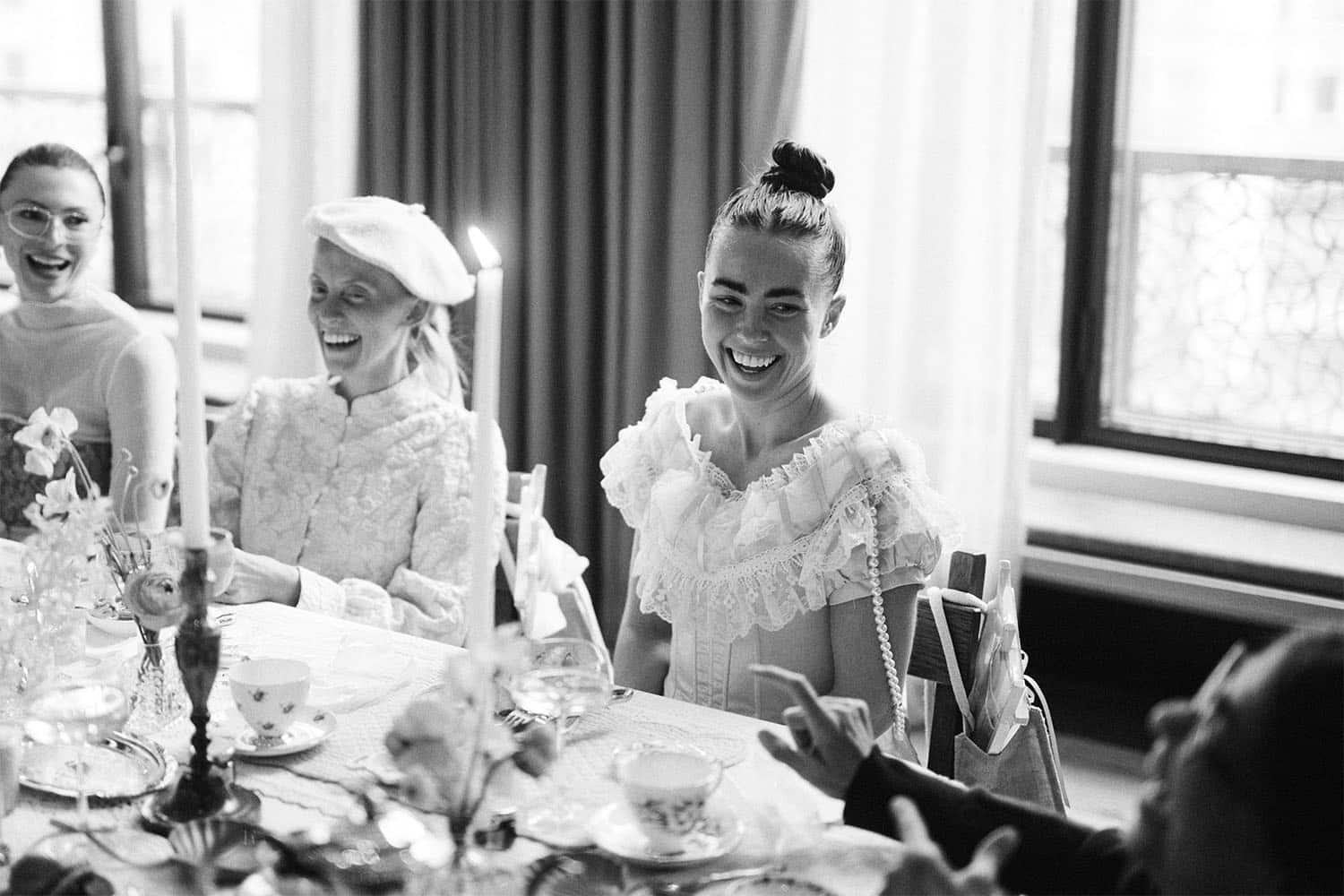
I didn’t think too much about all of it until afterwards, when while going through the album I felt the need to do…more. I’d photographed a hundred+ setups and showers over the years just like this, but for some reason felt the need this time to either express myself a little more creatively or simply just put a little more oomph into their edit. I suspect much of this came from familiarizing myself with Capture One over the preceding couple years as I pursued a career in fashion photography and became ever more familiar with what it could do, but either way, I felt the need to do a little more than just load, cull, exposure-adjust, contrast boost, and export.

And so I began an edit over the afternoon that, when the dust settled, I was pretty freaking proud of. I’d warmed things here, I’d exaggerated things there. I added massive amounts of grain pretty much everywhere. And the end result was a really amazing bridal album that made me look at what not just Capture One was capable but what I was capable of in an entirely new light.
Quality over Quantity

Backing up a bit, it was opening up a studio in Brooklyn and beginning to dabble in the world that is fashion that I came to more frequently use Capture One. As Capture One is the de facto application for commercial portraiture, I spent my days fluctuating between using Capture One for my headshots and fashion portraits and Lightroom for my event photography (which constitutes everything else).

And then the above bridal shower happened and everything changed for me.
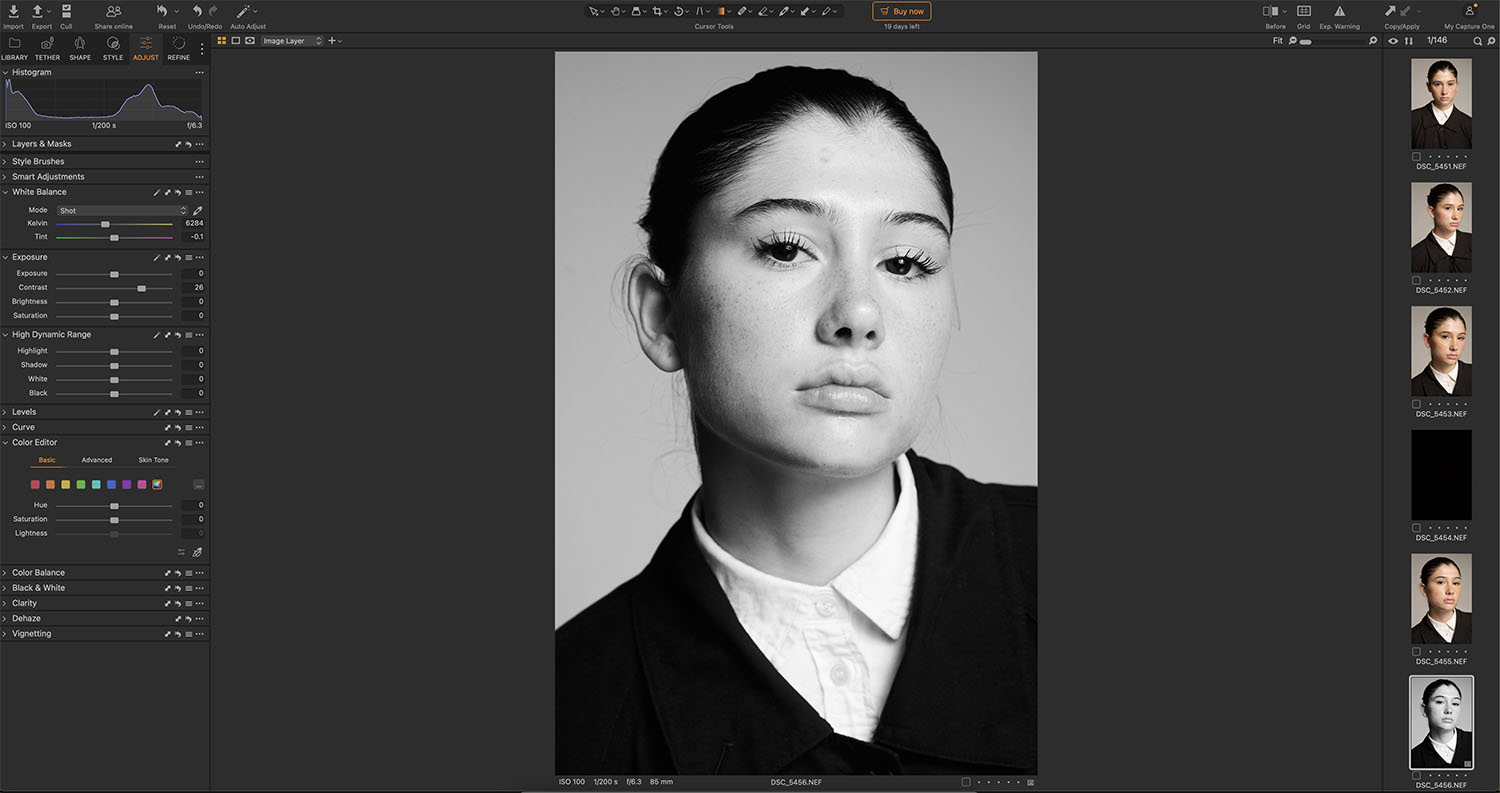
Screenshot

The main difference between Capture One and Lightroom (at least in my eyes) is that Lightroom is primarily a cataloging and workflow system – built for large volumes of images that a professional needs to get through in an efficient manner. Capture One, on the other hand, is built for the development of one singular image at a time.

I do a ton of fashion testing, for instance, and multiple times per week. An average test shoot with a modeling agency here in NYC is around two hours. Out of those two hours, I’ll take anywhere from 200-300 images. Out of those 200-300 images, I’ll send out anywhere from 10-30 end retouches (and that’s fairly above the standard. The standard is between 5-10).

And with this said, the interface that Capture One uses is much more similar to the sort of interface found on applications like Adobe Photoshop (I actually call Capture One photoshop for RAW files all the time) – it has an absolutely massive array of singular tools; each one serving the purpose of developing one image.
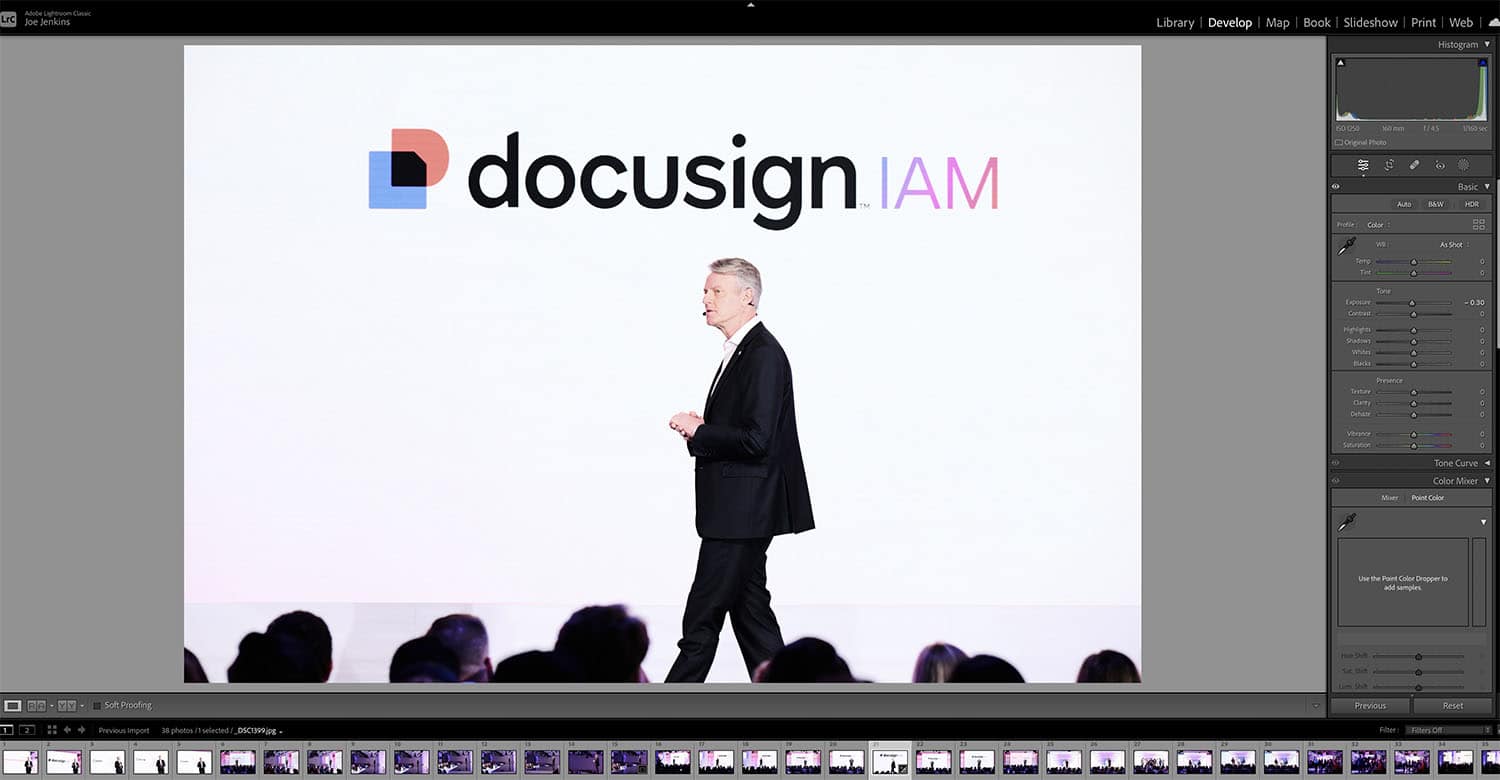
Screenshot

Lightroom’s interface, on the other hand, is rather underwhelming in comparison. While Capture one places a veritable bevy of tools in front of you that are easily accessible, Lightroom’s are a bit scattered across the panel and just visually not anywhere near as neatly organized.

With this said, working in Capture One encourages you to spend more time on the development of one image (even if it’s just a couple minutes, whereas Lightroom for me has always been about editing in bulk.

Masking

Masking in Capture One is as second nature as breathing – I can’t recall a single capture session I’ve had of late that hasn’t involved me masking some area of the image for correction (bringing up shadows, for instance). I’ve an Intuous Pro, by Wacom, and using this with Captures Brush tool feels just so —- second nature.

Masking in Lightroom never felt quite as intuitive or responsive – and I’d usually only ever use it as either an afterthought or when some glaring part of the image required me to do so.

And, let’s face it – masking is definitely an editing pillar, to the point where I’ve no idea how I’d be able to function (whether it be in photoshop, capture, or whatever) without it.

Your Client Will Appreciate It – Summing Up

One of my larger assignments for the year was shooting for Docusign. They were hosting a two day conference at The Glasshouse NYC and it was for both a new brand reveal, as well as the usual set of conference promotionals and (occasionally) theatrics. I was chatting with my onsite coordinator the day of, and I made the off-hand remark that 250 super strong images are infinitely better than 3000 mediocre ones.

His eyes widened as if I was the first photographer that’d come along in years that ‘got it’ and he emphatically and enthusiastically agreed.

When shooting events (or anything for that matter), often times we fall into the trap that more is better. More images. More assets. More variations. More more more.

And that’s not the case at all.

Eight powerful images are priceless in comparison to 100, or 1000 bland ones.

And Capture One forces you to think this way – in that you’re developing a smaller set of infinitely more valuable assets for your client. Sure, some events maybe involve culling and exporting thousands of images – whereby spending five minutes on one photo isn’t really practical. But, even if you spend maybe thirty to sixty seconds more time on that one photo, or just think about it singularly, rather than just a small part of a whole, it might be that one photo that makes your client lose his or her veritable mind.
Filed Under: Featured Post of the Day!, Guest Post, Humor, Photo Technology

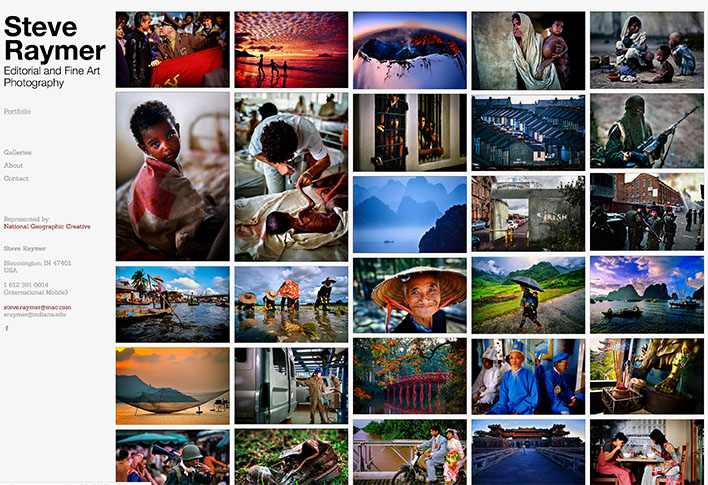
Somewhere West Of Lonely, An Interview with Professor Steve Raymer

November 25, 2019 by Seshu | Editor & Publisher

Who is Steve Raymer?

Before Steve Raymer was Professor Emeritus, of Indiana University’s Media School, he spent 25 years at National Geographic Magazine, first as a staff photographer and then later as its director of the news service.

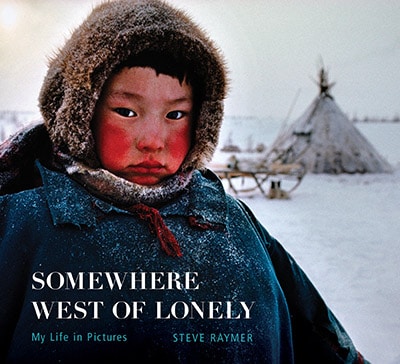
Steve Raymer, Somewhere West of Lonely

Block quote:

Raymer is author and photographer of Somewhere West of Lonely, My Life In Pictures, a visual memoir published in April 2018 by Indiana University Press. He also is author and photographer of Redeeming Calcutta: A Portrait of India’s Colonial Capital, published in 2012 by Oxford University Press; Images of a Journey: India in Diaspora, published in 2007 by Indiana University Press; Living Faith: Inside the Muslim World of Southeast Asia, published in 2001, and St. Petersburg, a 1994 book about the imperial Russian capital. Raymer is the photographer of several additional books, including The Vietnamese Cookbook, published in 2000 and Land of The Ascending Dragon: Rediscovering Vietnam, published in 1997. Raymer is currently completing a book titled The Public House: An Enduring British Institution — a volume that documents a centuries-old establishment that is threatened by an array of social, cultural, and economic changes.

My Back Story

I pursued a graduate degree at Indiana University in the late 90’s which is when I enrolled in one of Steve’s classes. He was still getting his bearings as a newly installed professor of visual communication (after I. Will Counts’ retirement from that same university), when I popped up with an idea to photograph the Muslim community in Bloomington, Indiana.

Steve was all for it, but as I showed him my contact sheets (this was back when I still shot lots of black and white film), he would take a red grease pencil and circle the frames that “almost” passable. He was a tough teacher, and I had no illusions that as a graduate student he expected more from me. I vividly recall the note he clipped on to the final images from the semester.

In measured sentences he asked me if I had the resolve to continue working as a photographer. I still hold onto that note from him because it fuels my 20+ year obsession in photography and it is one of the reasons I publish this blog. With a few words he lit a bon fire in me to keep at it, and to always feel deep inside that there is a better and stronger photograph to create the next time I am out with my cameras.

For that alone, I owe Steve Raymer a huge debt of gratitude.

The Interview

I had the pleasure of speaking with him some time ago and given that today is his birthday, I figured what more of an appropriate time than today to get this chat with him out into the world?

So here here it is:

Somewhere West of Lonely, The Book

Somewhere West of LonelySteve’s book, Somewhere West of Lonely, is one I recommend to all photographers. As you can expect, it is a visual feast. However, it is understanding a photographer’s backstory that makes this book that much more richer for me. And perhaps it will do for you as well.

Christmas is coming and Steve’s book will make for a wonderful gift this holiday season. I highly recommend you buy one for yourself and gift one to a photographer in your family.

Filed Under: Featured Post of the Day!, Interviews, Photography Tagged With: indiana university, National Geographic Magazine, Photographers, Photography, Photojournalism, somewhere west of lonely, steve raymer, Travel, travel memoirs

Retouching Headshot Portraits Tutorial By Rafal Wegiel

November 10, 2019 by Seshu | Editor & Publisher

Though headshot photography is gaining in popularity, retouching headshot portraits isn't discussed to a great degree in public yet. Only commercial photographers and professional retouchers handle this topic often, because that's been their domain for so long.

Things are, however, changing. There is a growing need for most people to appear professional, confident and approachable. Selfies and random party snaps simply do not cut it on sites like LinkedIn or when most people need to submit project proposals.

Rafal Wegiel a headshot portrait photographer based in Alberta, Canada intends teaching fellow photographers his approach to retouching headshot portraits.

Retouching Headshot Portraits Tutorial

His tips and techniques on Facebook forum and YouTube are simply great. Just a few days ago, he launched a new course called, “Beyond The Art of Headshot Retouching“.

We had a quick chat about the course and why he decided to introduce it to the world:

Learn more about the Headshot Retouching Tutorial here:

At $79.99, I think this is a steal. It's very hard to find a resource that is this in-depth. Across 17 videso, four of those being just retouching, Rafal walks you through just about every scenario that you will encounter as a headshot photographer. As I promised in the podcast above, I invested in this course right away. If you are reading this post and you have read this far or scanned down to this area, consider using the code: SESHU, to save $10 (for a limited time) OR use the code: HEADSHOT (also for a limited time) to save 20% when you check out.

Either way, I do not make an affiliate commission. Just bringing you something that will help you and your photography business!

Still interested in headshot photographers?

Eric Laurits, Perter Hurley and Dylan Patrick are all amazing headshot portrait photographers.

Filed Under: Featured Post of the Day!, Interviews, Photography, Tutorials, Workshops Tagged With: alberta, Canada, headshot photography, headshot portraits, rafal wegiel, retouching headshot portraits

John Gress Will Teach You To Light Your Subjects For Impact

January 30, 2019 by Seshu | Editor & Publisher

Light Your Subjects

Have you ever had trouble using flash to light your subjects?

John Gress will teach you to light for impact and precision. He has just launched his first US workshop tour, starting with these nine cities: Pittsburgh, Washington, D.C., New York, Boston, Detroit, Chicago, Atlanta, El Paso, Dallas.

Who Is John Gress?

John Gress got his start in photography in Portland, Oregon. Evanston, Illinois, a suburb of Chicago is now home. Initially a photojournalist, John now considers himself a commercial and editorial photographer. He is also actively involved in directing videos now.

Recently, John spoke at ImagingUSA, in Atlanta, Georgia and will soon be presenting at the CTPPA convention, February 15-18th.

From his website:

Gress arrived in Chicago in 2003 after having worked as a Portland, Oregon-based freelance photojournalist since 2001, regularly handling assignments for Agence France-Presse, Associated Press, Los Angeles Times, USA Today and People magazine.

From 2000-2001, he was a staff photographer for The Topeka Capital-Journal, where his subjects included the University of Kansas basketball team, the Kansas City Chiefs, and state government figures.

Previously, from 1996-2000, he was a freelance photojournalist for the Associated Press, covering the Portland Trail Blazers, the USA Track and Field Championships, the 1998 World Cup, and various natural disasters across the Pacific Northwest.

Interview With John Gress

Give this a quick listen now:

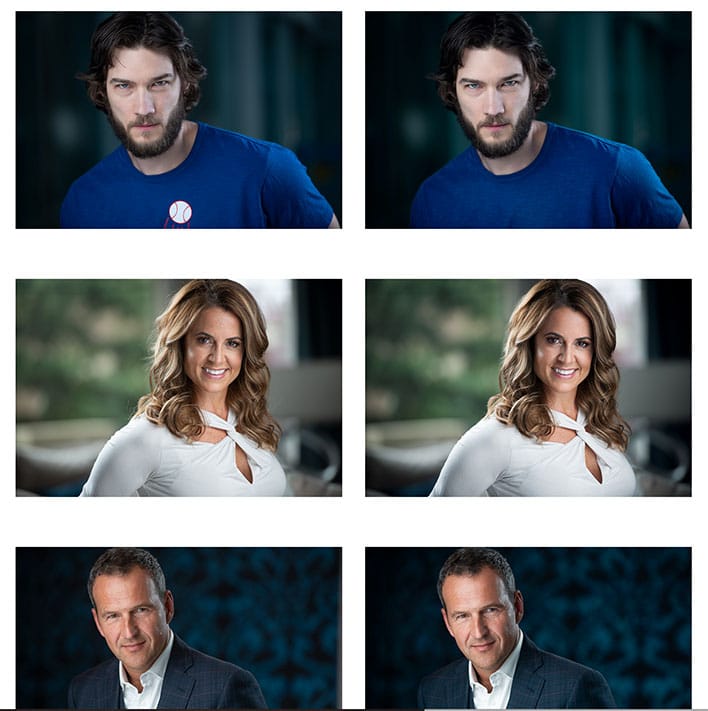
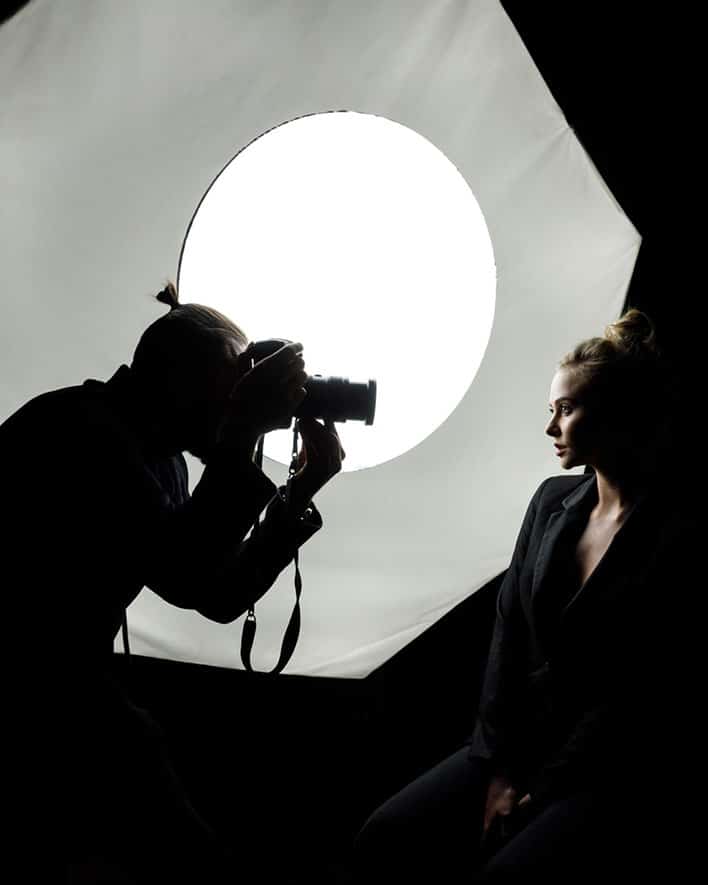
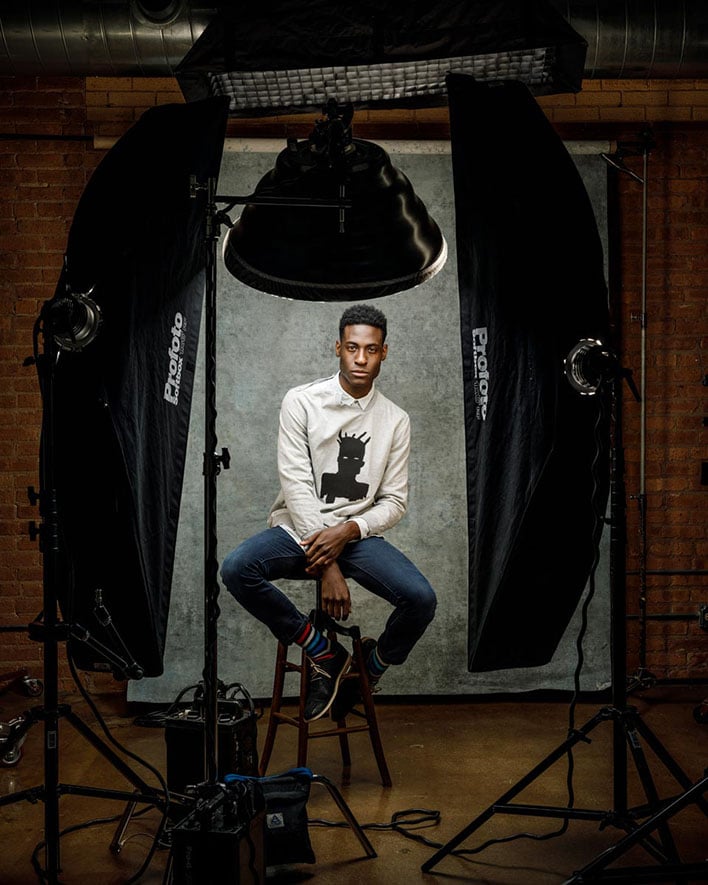
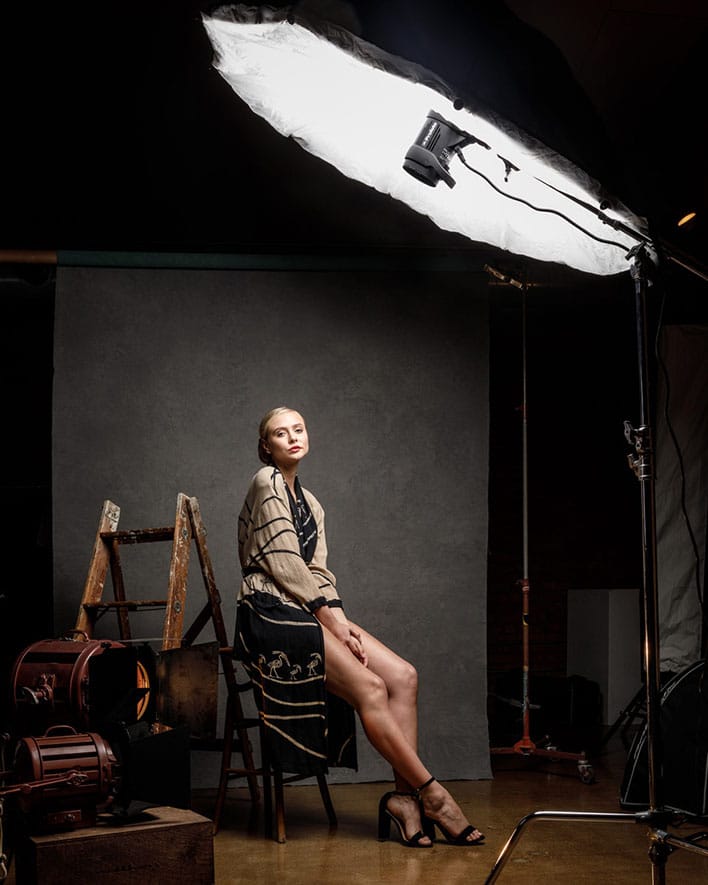
Lighting Scenarios

John Gress Lighting Workshops

John Gress Lighting Workshops

John Gress Lighting Workshops

John Gress Lighting Workshops

John Gress Lighting Workshops

Lighting Workshops

Learn more about John Gress' lighting workshops here. Use the code or mention: SESHU, to save $50 on your workshop registration.

Remember there are only 15 spots in all of these workshops and most of them are more than half full already. So, jump to it people!

Looking for other resources on lighting your subjects? Try this one about Zack Arias' OneLight 2.0 video course and this one about Joseph Victor Stefanchik's speedlighting workshop

Filed Under: Featured Post of the Day!, Interviews, Lighting, Off-Camera Flash, Photography

How To Optimize Your Squarespace Website For Search Engines

April 12, 2018 by Seshu | Editor & Publisher

The #1 Question Asked By Photographers

“How can potential clients find me online?”

Even in 2018, a lot of photographers believe that all one has to do is upload photographs to a website and their clients will miraculously find them.

Adding to that myth are these words, “oh, I have a website but I haven't updated it in eons.” Then they chuckle.

Imagine your business is a steam engine (remember those?). The content you add frequently and consistently is the fuel for your engine to go faster and farther.

Galen Mooney, SEO For PhotographersThese are both huge problems that Galen Mooney of PhotographySquares is committed to solving for photographers.

If you want to be found online, your website needs to be set up properly and you need to be posting online often, sending search engines like Google, Bing and Yahoo! (among many others) an alert that there is fresh content on your site.

Why Squarespace?

Right now I publish two other websites: Seshu Photography & Connecticut Headshots, both using the Squarespace platform.

While it was super easy to set them up initially, I kept hearing about how it was difficult to optimize Squarespace sites for search engines. Digging a little deeper, though, I found out that was not true at all.

Now, compared to WordPress websites that use plugins like Yoast SEO, there aren't any plugins or extensions for diving into SEO on the Squarespace platform. So, one has to set things up manually (but done once and checked often, you should be good to go).

I might have been poking around Google and Facebook when perhaps it was a targeted advertisement that presented Galen's 5-day SEO Challenge (going on right now, with tomorrow being day 5, so sign up now and you can watch the replays of days 1-4).

SEO For Photographers

This is Galen's promise:

SEO for Photographers is … “Made especially for Squarespace users! You'll learn how to optimize your image tags, how to tweak old pages and blog posts to get the results you want, and how to track your SEO success as you start seeing results.”

If you are considering a Squarespace website for your photography business or you already have a Squarespace site, you owe to yourself to at least check out Galen Mooney's 5-Day SEO Challenge first.

If you want to learn more, then sign up for her course, SEO for Photographers. She will be opening enrollment tomorrow with some special bonuses, after her one-hour special presentation in her Facebook group.

5-Day SEO Challenge

Go ahead and LIKE her page and you should see a notification for her 10 am presentation. Just as a teaser, here is Day 1 of her most recent SEO challenge:

Photography Squares Small Logo

Interviewing Galen

A few months back, I interviewed Galen. You'll learn in this short interview with why it's important for you to optimize your site and what she teaches in her course, SEO For Photographers:

Of the two websites that I own that are using the Squarespace platform, I have used what Galen Mooney has taught me through her course on Connecticut Headshots and have seen a great many more inquiries and bookings. These are subtle or drastic changes – something as simple as using a H1 tag on each page or using the right descriptions when uploading images.

While she doesn't say it, I will … it pays to sweat the details. And like I say in the interview above, you won't be breaking anything when making those changes. If you find yourself flustered, Galen's Facebook group is a wonderful place to visit and ask questions and compare notes.

If you have a Squarespace site, you would do well to start optimizing it using Galen's advice.

Filed Under: Featured Post of the Day!, Marketing, Photography Tagged With: clients finding the right photographer, content marketing, finding clients, learning seo, Marketing, Photographers, Photography Business, seo for photographers, seo optimization, setting up squarespace sites

  • 1
  • 2
  • 3
  • …
  • 11
  • Next Page »

Subscribe To Tiffibox Treats!

Looking for a well-curated email newsletter that will leave you inspired and motivated about your photography business? Sign up below!

About Seshu

Seshu creates relaxed portraits of families and high school seniors in Avon, Connecticut. He also leads a successful headshot photography studio in Connecticut, helping professionals from a variety of disciplines project the very best versions of themselves. He created Tiffinbox as a way of inspiring photographers, to create better images and successful businesses. [Read More]

Email Templates For Headshot Photographers

Email Templates for Headshot Photographers

Recent Posts

  • How Capture One Changed My Event Photography
  • 10 Steps To Stay Positive In Times Of Great Stress
  • Why You Need To Read “Personal Branding For Photographers” Now
  • How To Master Your Website Content Step By Step?
  • Tony Taafe’s TNT Method For Headshot Photographers

Recent Comments

  • Stephen Davison on Are You A Business Owner Who Is Smart, But Stuck?
  • Ben A. on Don Giannatti Clinches The 8th Annual Tiffinbox Award
  • Dan on Don Giannatti Clinches The 8th Annual Tiffinbox Award
  • Donald Giannatti on Don Giannatti Clinches The 8th Annual Tiffinbox Award
  • Stephen Davison on G.E. Masana’s 6 Strategies For Wedding Photography Success
  • Naveen Kumar on Weddings In India Are More Than Being At The Right Place And At The Right Time
  • kartick on Weddings In India Are More Than Being At The Right Place And At The Right Time
  • Leonid Farbman on 6 Uncommon Trends To Grow Your Photography Business
  • Willow and Finch Wedding Photography on 11 Reception Tips To Help Your Wedding Photography
  • Web Designer Malaysia on How To Optimize Your Squarespace Website For Search Engines
  • Creastan on An Interview With Photojournalist G.M.B. Akash
  • Cindy Brown | Atlanta on An Open Letter To A Local Photographer

Become a Patron!

Copyright © 2026 · Tiffinbox · Site Design by Heather Mackan Creative · Built on Genesis